Budget Bounce

New Personal Finance Management Features for the current app
Overview

Challenge

Budget Bounce was founded in 2015 by two former college roommates who wanted a better way to pay each other back. What started off as a simple SMS platform to send and receive money has evolved into a social payments app allowing people to split bills, pay each other back for rent, and make purchases at approved merchants.


They have put a lot of effort in providing a seamless experience through its current features, but now they want to go beyond and not just provide these functions, but also tools to help them manage money better. Seeing an opportunity to make a difference and help Millennials with their financial challenges, they now want to develop typical personal finance management features include saving goals, budgets, calculators, and expense tracking.

Objectives

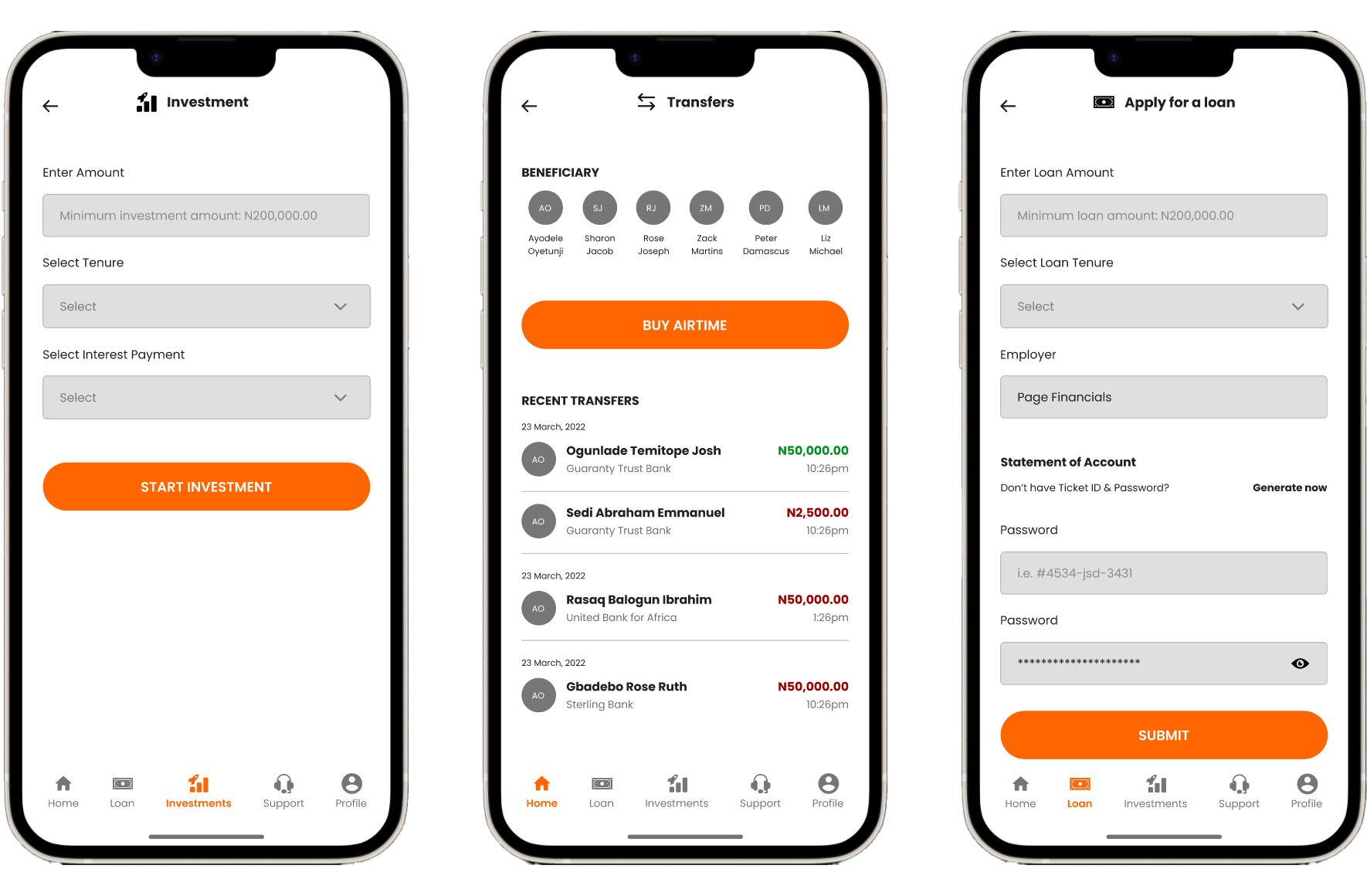
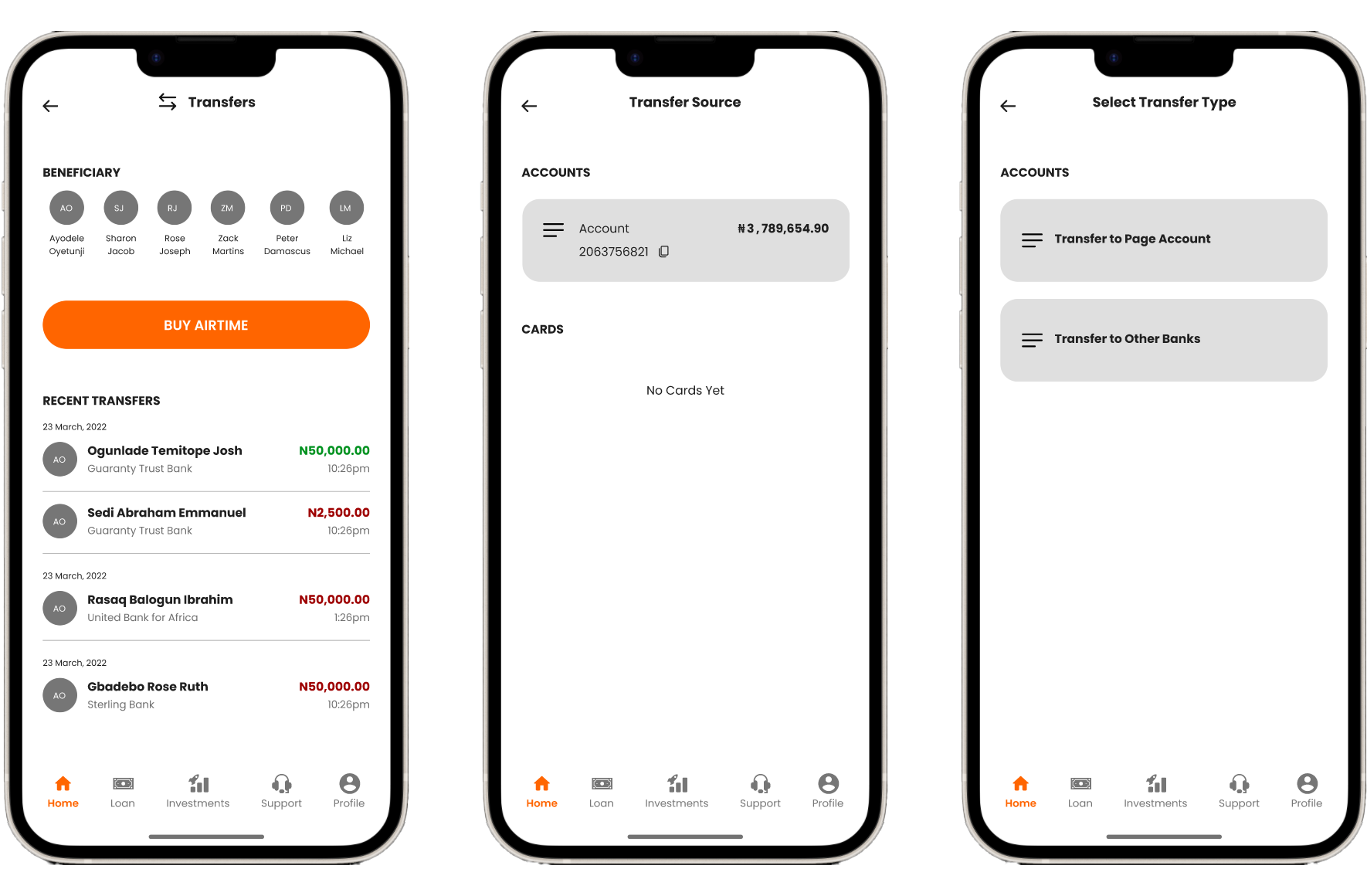
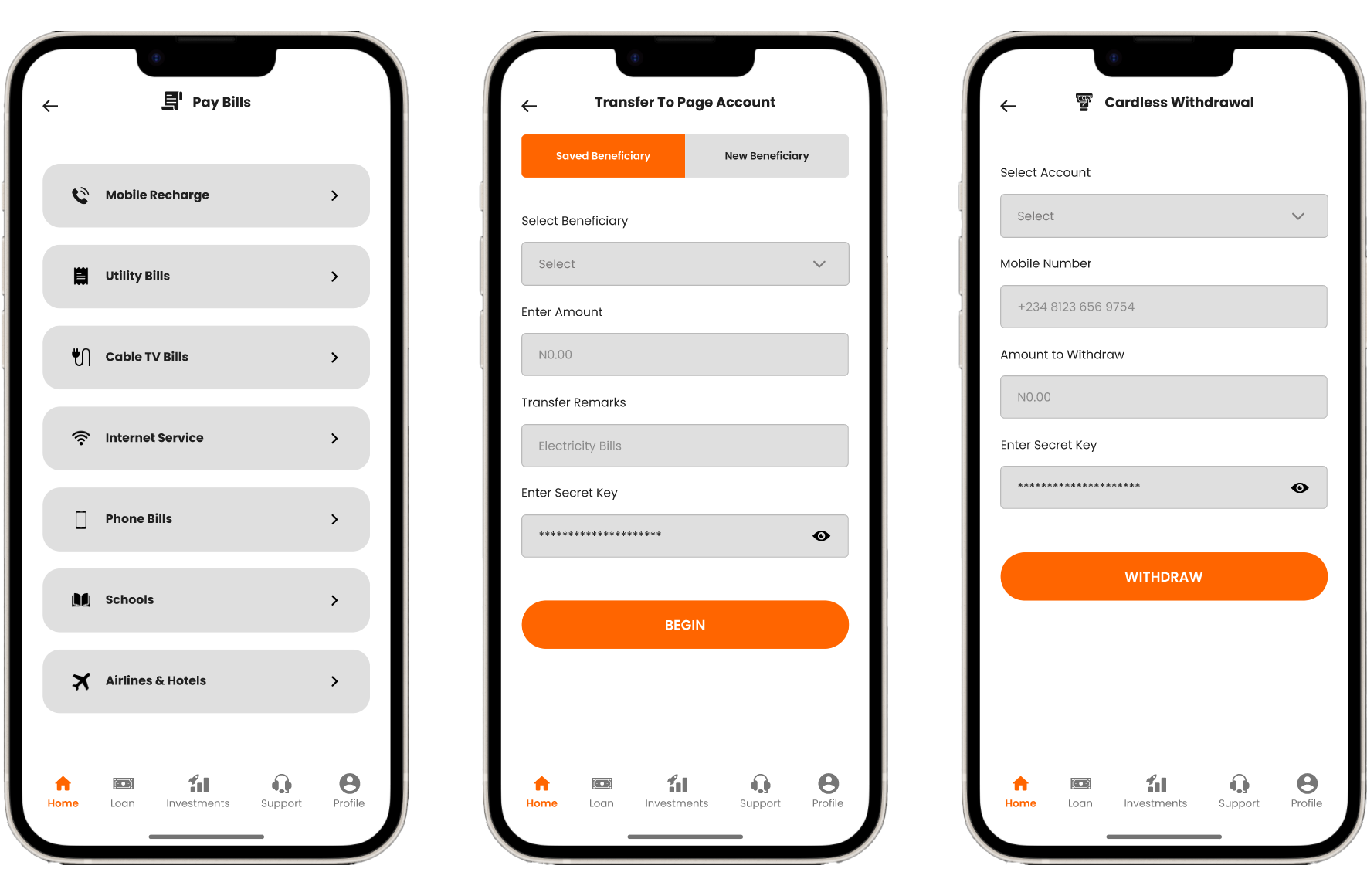
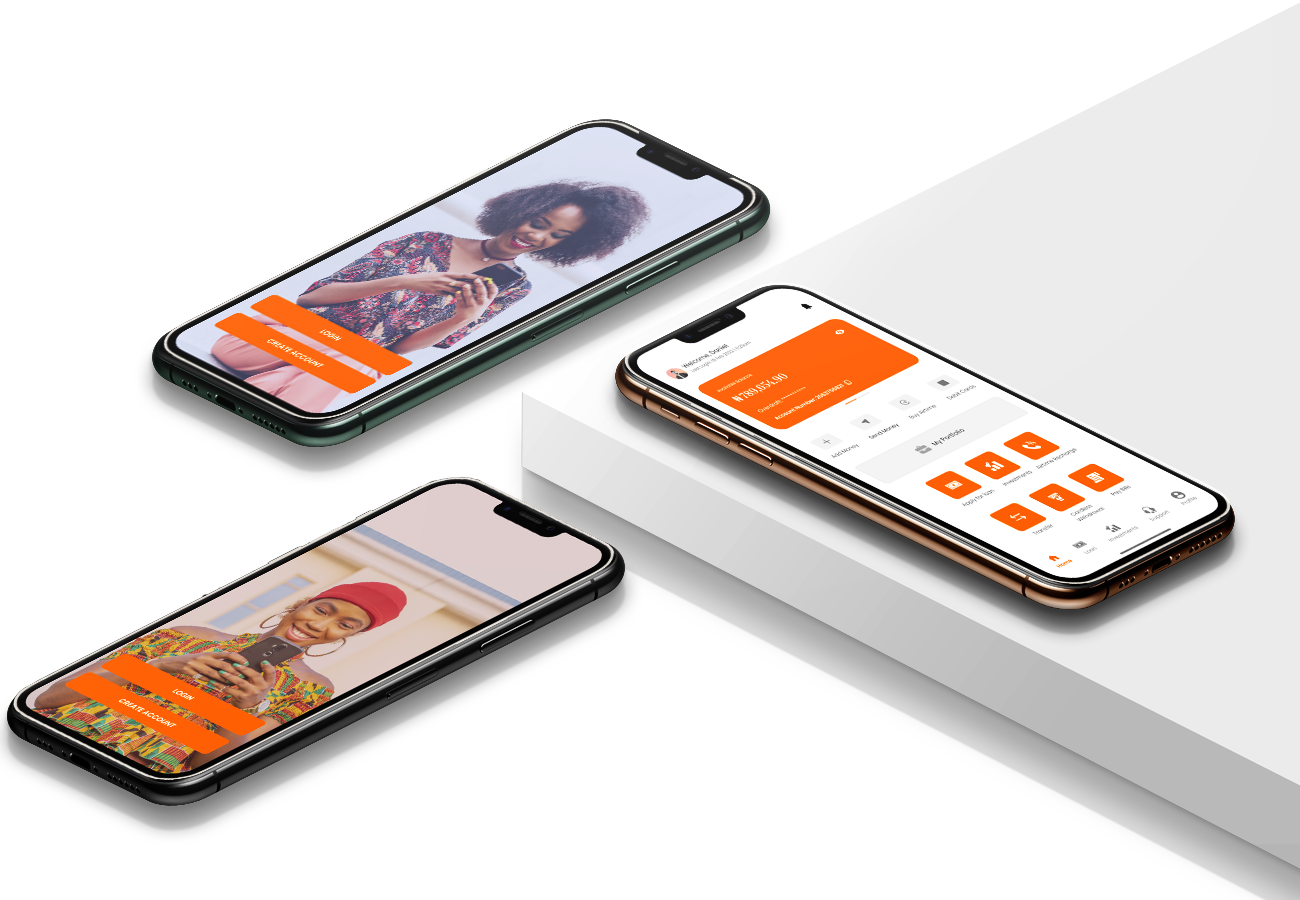
  • Design a new personal finance management feature that embeds within the current Budget Bounce app and in the operating system of your choice. Make sure it embeds well and smoothly with the rest of the app.

Project Scope
Tools

Figma, Adobe Illustrator, InVision, Zeplin

Role

Product Designer (Researcher, Visual, Graphics & Interaction Designer & Quality Assurance)

Duration

Research 3 weeks | Interaction Design 2 weeks | Prototype 1 week
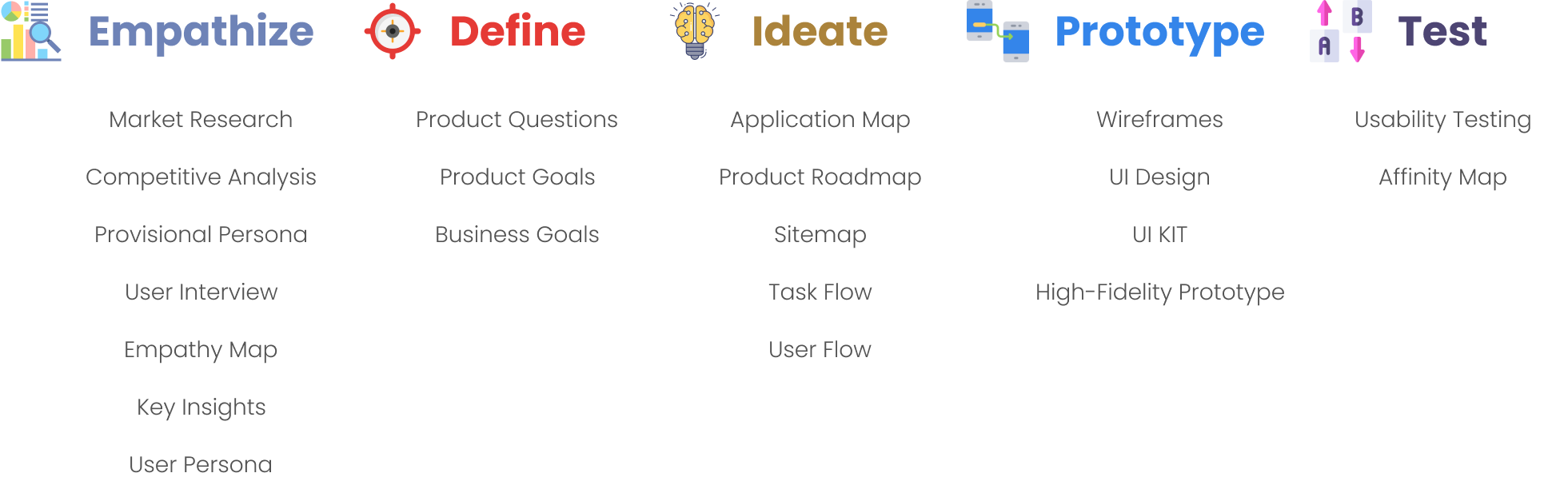
Design Process

Discovery

01

Research

This involves understanding the needs, wants, and behaviors of the user for whom the product or service is being designed. It involves conducting research, such as interviews, observation, and surveys to gather insights and understand the user's perspective.

To ensure the research stays on track and better guide the design decisions later, it is important to create a research plan before diving into the research phase. I listed research goals, research questions, assumptions, methodologies, participants, and timeline in my research plan.

Research Goals

  • User demographics: Consider the age range, income level, education level, and other demographic factors of the target user group. This information can help tailor my research questions and methods to better understand the needs and preferences of the target users.
  • User goals: Consider what users hope to achieve by using a personal finance management application. Some users may be interested in saving money, while others may be focused on debt reduction or investment management.
  • User behavior: Consider how users currently manage their finances, including their use of technology and financial tools. This information helps identify pain points and areas where the application could improve the user experience.
  • Competition: Consider other personal finance management applications in the market and their strengths and weaknesses. This information helps identify gaps in the market and opportunities for differentiation.
  • Regulatory environment: Consider any relevant regulations or guidelines related to personal finance management applications, such as data privacy laws or financial industry regulations.

Assumptions

  • Users are likely to be financially responsible and interested in improving their financial literacy.
  • Users may have a range of financial goals, such as saving for retirement, buying a home, paying off debt, or building an emergency fund.
  • Users may have a wide range of incomes, expenses, and debts.
  • Users may be interested in tracking their spending and creating budgets to help them stay on track.
  • Users may be interested in investing and managing their investment portfolios.
  • Users may be interested in learning about financial products and services that can help them achieve their financial goals.
  • Users may be concerned about the security of their financial information and expect the application to provide robust security features.
  • Users may have different levels of technical expertise and may require different levels of guidance and support to use the application effectively.

Methodologies

  • Secondary Research (Market Research, Competitive Analysis, Heuristic Evaluation)
  • Primary Research (User Interview)

Secondary Research

Market Research

It is important to get a big picture of the market by starting with market research - to get a sense of what we know and don't know yet, who the audience are, as well as what the recent trends or news are. The insights we gathered from market research will help me frame provisional personas and ask meaningful questions in primary research.

As I am designing personal finance management features for a P2P payment software, I started to gather some knowledge of the market on both ends. I then dived deeper to know different aspects of Budget Bounce, including its users, features, and operations. Finally, based on the demographic knowledge I gathered when researching Budget Bounce, I looked into the spending habits and personal finance management of that specific population.
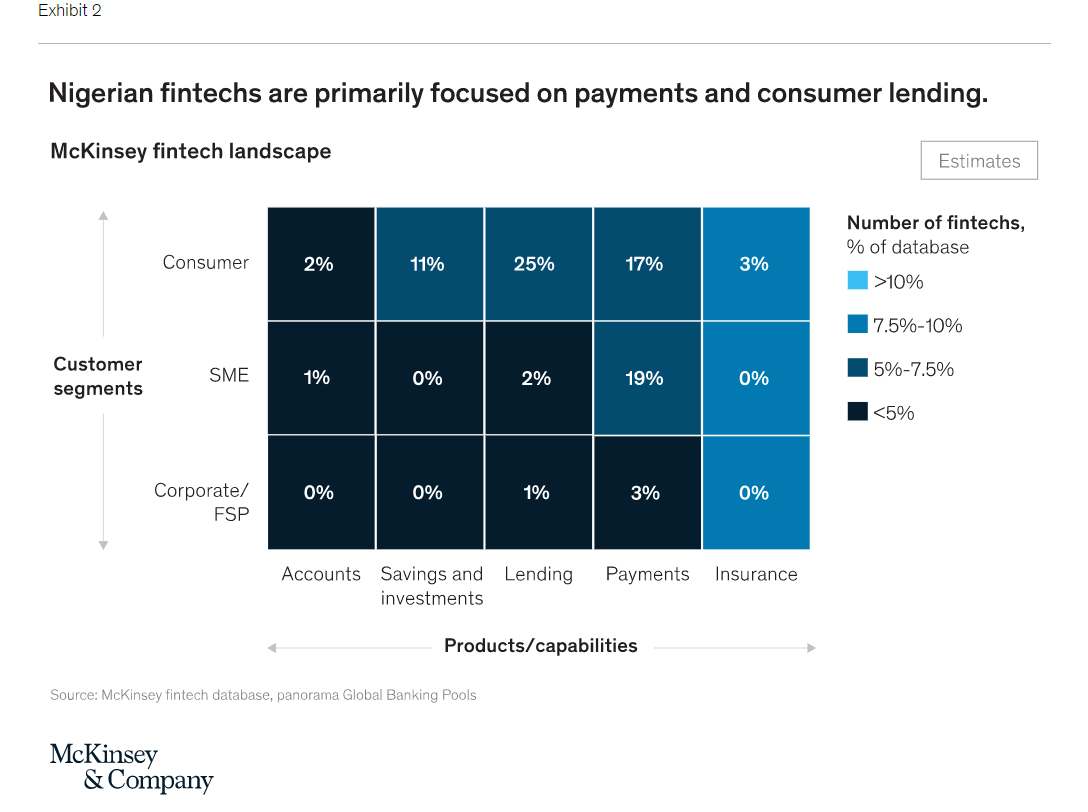
P2P Payment Service Market
  • Overall: P2P Payment market continues to rise with multiple competitors entering the field.
  • The payments market in Africa is experiencing rapid growth, mainly due to advancements in peer-to-peer (P2P) and consumer-to-business (C2B) payment solutions. However, the fragmentation of payment processing continues to pose a significant challenge for businesses seeking to establish a presence in Africa. (NigeriaGalleria)
  • FinTech startups, an umbrella term for tech-enabled financial services companies, are reconstructing the global financial sector. Nigeria, Africa’s unofficial FinTech capital, saw $360 million in FinTech investment in November 2019. About one-third of all the money venture-backed startups in the entire continent raised in 2018. (BuiltinAfrica)
  • Mobile Person-to-Person (P2P) Transfers: Provides market estimates and forecasts to assess opportunities in P2P segment, broken down by domestic and international remittances. Details three essential KPIs – mobile payment transaction value, volume and average transaction value. (MarketResearch)
  • By building up a historically underdeveloped industry, the trailblazers of Africa’s Peer-to-peer (P2P) payment sector are reshaping how people on the continent move money. With only 23 commercial banks and the largest one only having about 12 million users, a significant number of Nigeria’s 200 million people are unbanked or underbanked. (BuiltinAfrica)
  • China reported $120 billion worth of mobile transactions in 2020; a staggering number when compared with the $300 billion of digital transactions across the entire African continent. (codebtech)
Personal Finance Management Service Market
  • Overall: Nigeria is one of the leading the personal finance industry in Africa, but it is increasingly threatened by the efforts of traditional bank to integrate such features onto their platforms.
  • Nigeria is now home to over 200 fintech standalone companies, plus a number of fintech solutions offered by banks and mobile network operators as part of their product portfolio. (mckinsey)
  • Between 2014 and 2019, Nigeria’s bustling fintech scene raised more than $600 million in funding, attracting 25 percent ($122 million) of the $491.6 million raised by African tech startups in 2019 alone—second only to Kenya, which attracted $149 million. (mckinsey)
  • While banks typically license software from industry operators (an opportunity for industry growth), the industry is threatened by banks' integration of their own personal finance software onto their platforms. (IBISWorld)

Budget Bounce
  • Overall: Rapid growth, used by the older generation, smaller transaction size compared with primary competitors.

           Users/Accounts

  • Budget Bounce had over 920,000 active accounts by Q4 in 2019. (PageFinancials)
  • Small business owners’ usage of Page Financials: Nearly 30% small business owners don’t use Budget Bounce for business, and only 2% responded that their small business accepts Budget Bounce payments from customers. (PageFinancials)

    Demographics
  • Over 700,000 Budget Bounce users belong in the 18-52 age group. Among those: 240,000 belong in the 25-34 age group, and 40,000 are in the 18-24 age group. (PageFinancials)
  • 220,000 Page Financials consumers are aged 35-44. Nigerians from the 45-54 and over 55 age groups represent 200,000 users each. (PageFinancials)

    Transactions
  • Page Financials processed more than 500 million during the financial year, marking a 65% year-on-year jump. (PageFinancials)
  • The average Budget Bounce transfer size is 20, which is much lower than its main competitor Renmoney, whose average transaction is five times higher at 100. (MarketWatch)
  • Budget Bounce imposes transaction limits for different scenarios. (BalancingEverything)

    Socializing/Personalizing Aspects
  • The entire Budget Bounce program is set up to capitalize on word of mouth as its main growth marketing engine, considering that 92% of people prefer brand recommendations from friends over advertisements. (MarketWatch)
  • The company believes that the friends you Budget Bounce are your true friends, the ones you actually hang out with, comprising a much smaller group than your connections on social platforms like Facebook and Instagram. (BudgetBounce)
User's Behaviors
  • Overall: Financial planning is an area lack of consideration among Nigerians
  • Personal Finance Management
  • 12%of Nigerians have less than ₦300,000 saved. (Spendmenot)
  • Millennial Nigerians have a median emergency savings of just 1,000,000. (pendmenot)
  • Only 24% of Millennials demonstrate basic financial literacy. (NationalEndowment for Financial Education)

    Spending (Millennials and Gen Z)
  • Millennials spend more on: Convenience, Online shopping, Debt payments, Food away from home, Experiences and travel, Streaming services, Social impact; they spend less on: Cars, Clothes, Housing, Retirement.(Spendmenot)
  • 75% of Gen Z spends more than half of their monthly income, and less than 1/3 of Gen Z is comfortable sharing personal details other than contact information and purchase history. (IBM)

Competitive Analysis

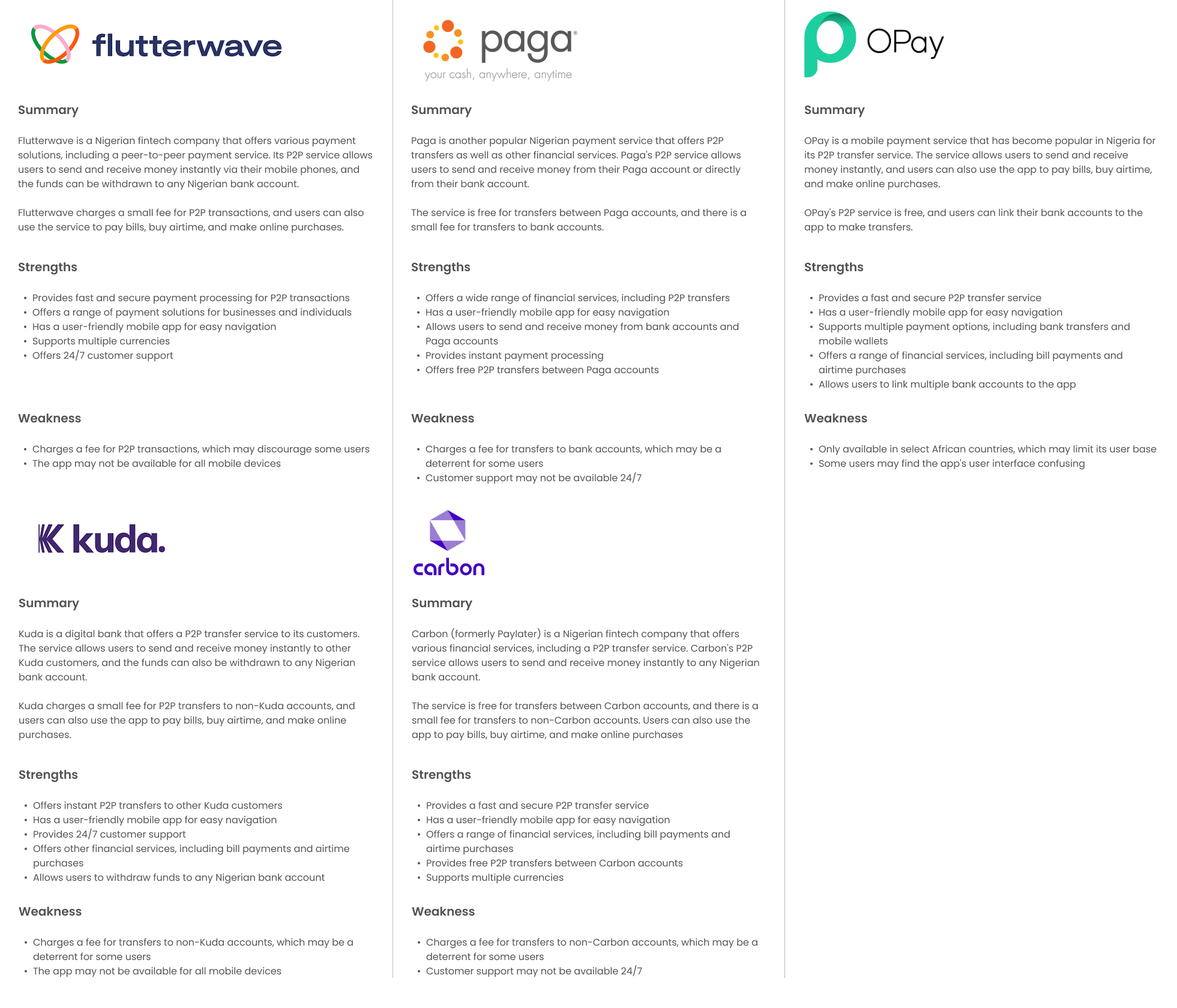
It is equally important to research other P2P payment apps, as their strengths and weaknesses will not only shed light on the key areas we should strive to maintain the high quality, but also help me identify any opportunities for Budget Bounce to emphasize. Based on the knowledge I gathered from market research, I analyzed 3 direct competitors as shown below, who are major P2P payment service providers, and 2 indirect competitors, who integrate P2P payment features into their service. A complete competitive research can be viewed here.
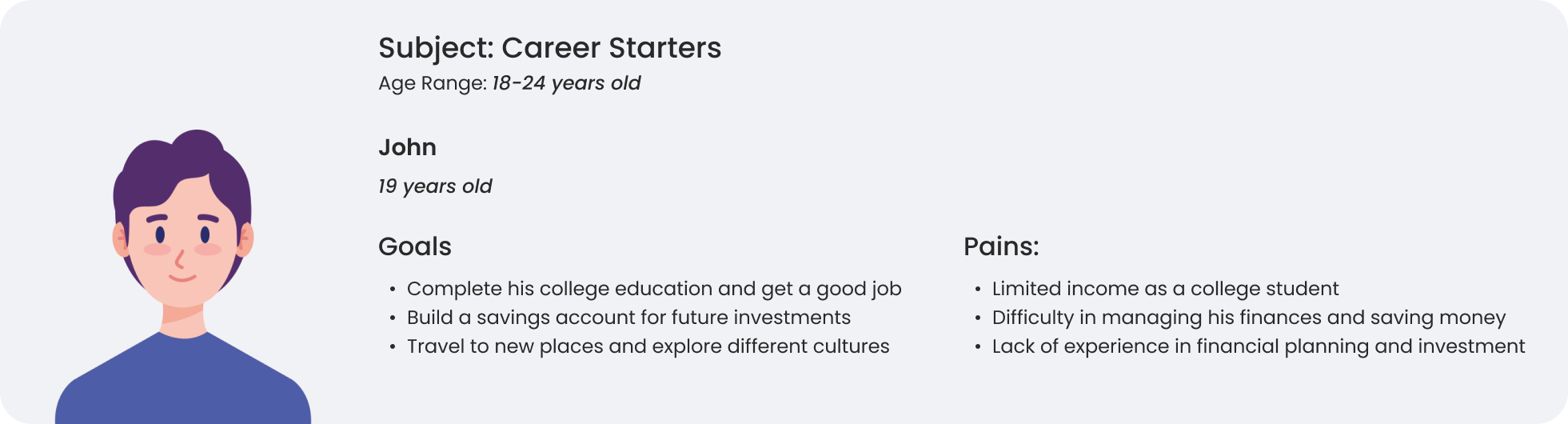
Provisional Persona

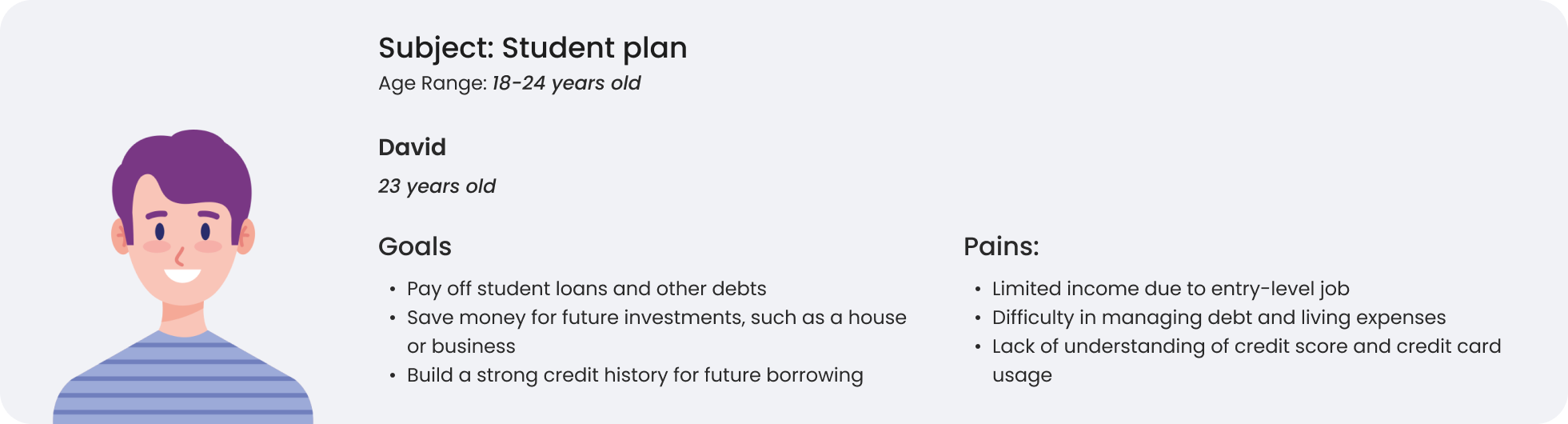
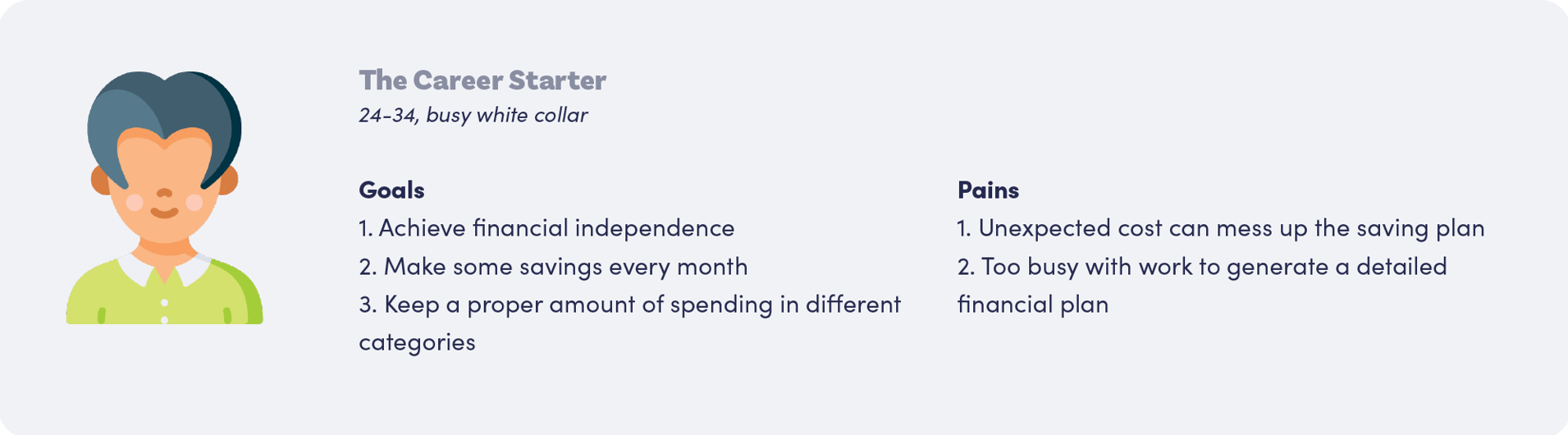
With the data gathered from market research, I started to generate provisional personas using the statistical and behavioral knowledge I gained to represent a certain type of user that are potential audience of Budget Bounce. These personas will help me screen appropriate people to interview.
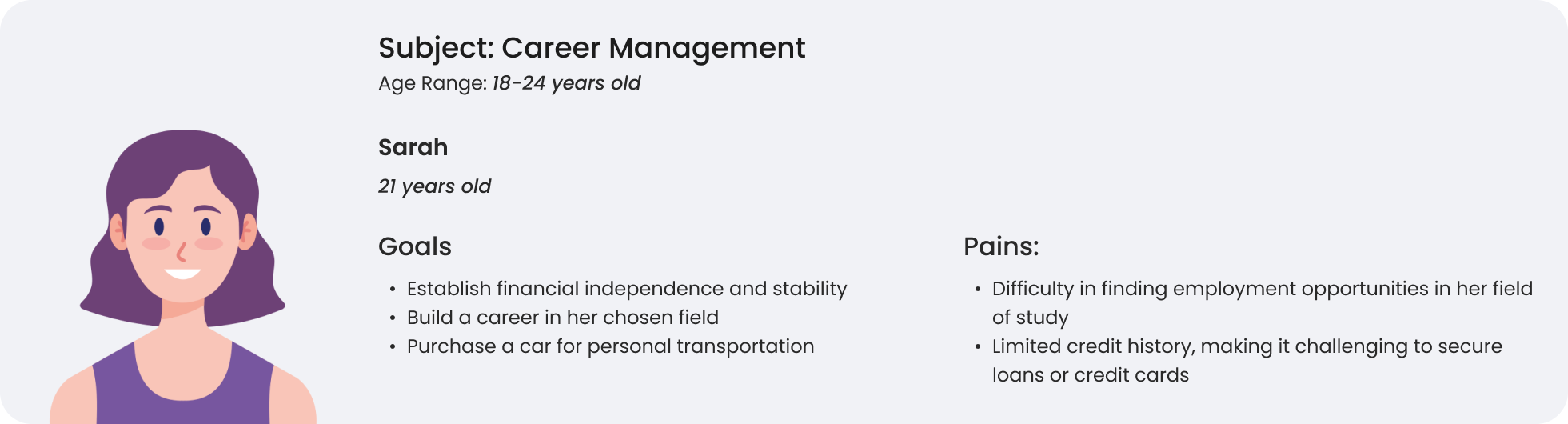
Primary Research

User Interview

  • Budget Bounce users are people who care about personal finance management.
    Validated. 4/5 users use some methods to manage their personal finance, including tracking the spending, making budget, etc.
  • Budget Bounce users mainly use the app to make a split.
    Validated. 5/5 users have used
    Budget Bounce to split the money for cost of trips, dining together, rent, and grocery.
  • Budget Bounce users use the app mainly with their friends or people they are familiar with.
    Validated. 5/5 participants used Budget Bounce with their friends, peers, or acquaintances.
  • Budget Bounce users tend to not keep a large amount of money in their Budget Bounce account.
    N/A. Not enough participants mentioned this aspect.

Research Synthesis

Empathy Map

An empathy map for a P2P (peer-to-peer) financial application would focus on understanding the user's needs and experiences. It is a visual representation of what a user is thinking and feeling, what they see, hear, say, and do in relation to a specific product or service. The empathy map is divided into four quadrants:
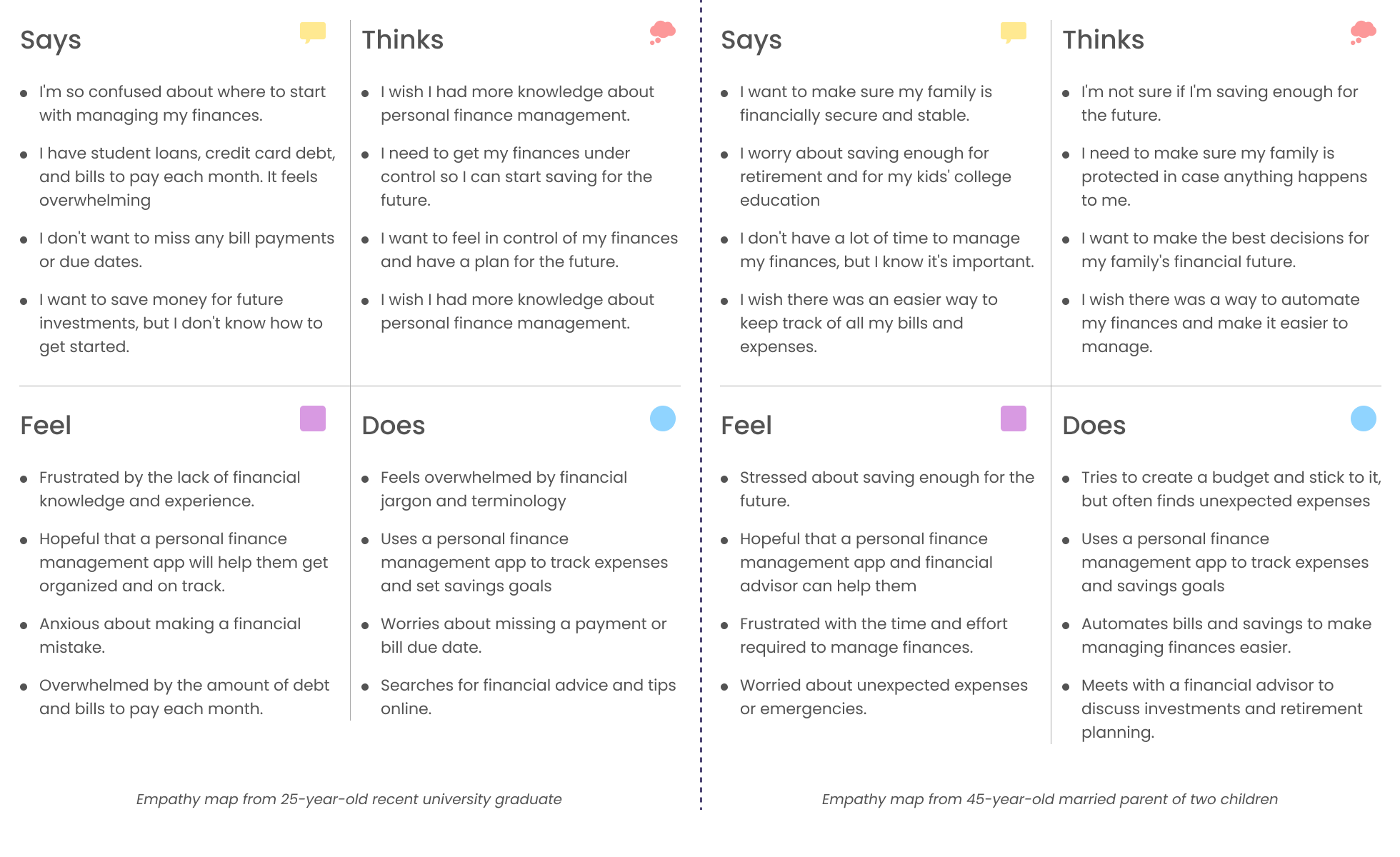
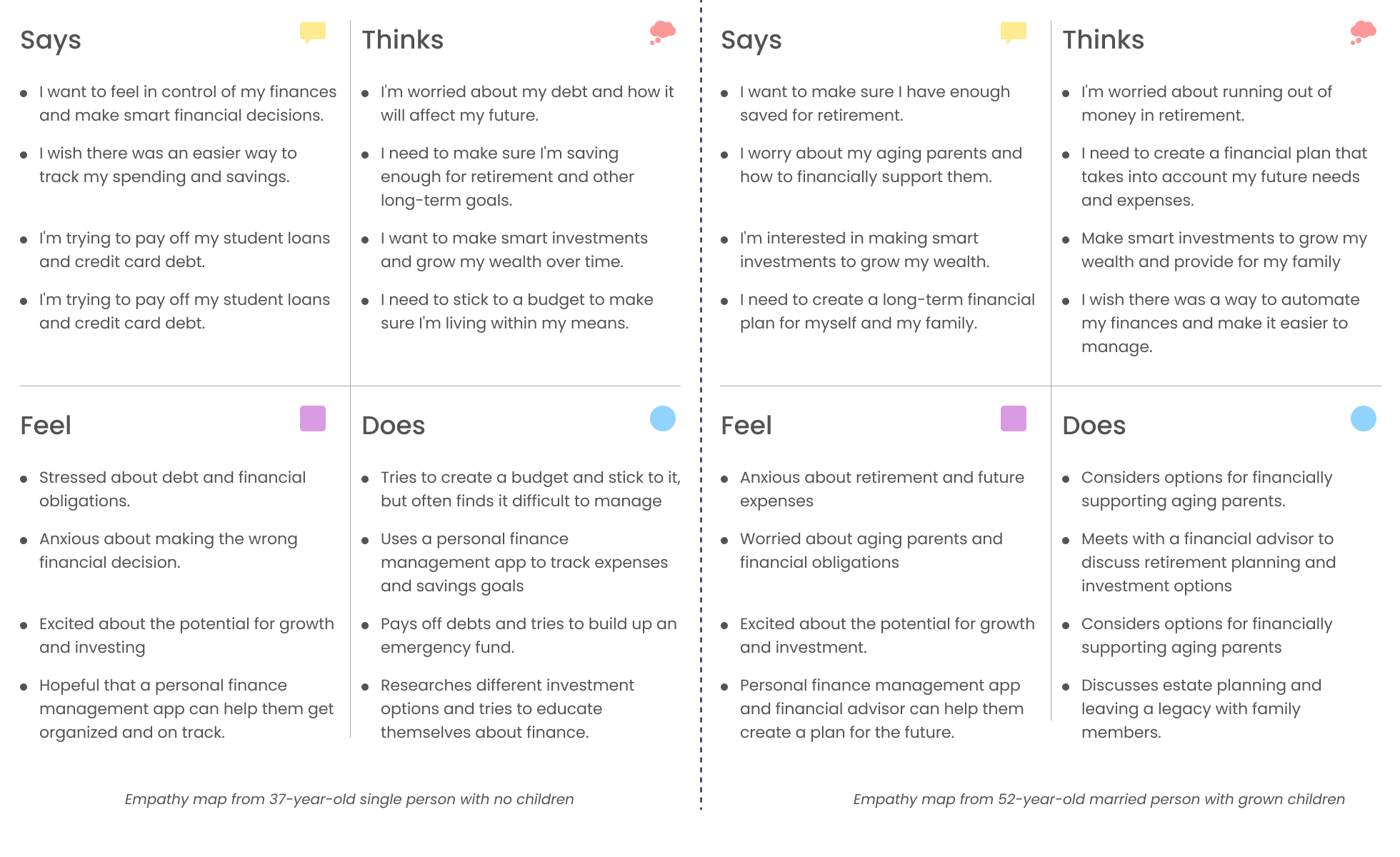
  • Says: What the user says out loud in an interview or some other usability study. “I want something reliable.”
  • Thinks: What is going on in the user's mind? What are their fears, hopes, and aspirations? “Am I dumb for not understanding this?”
  • Feel: What are the user's emotional state? What does the user get excited about? "Impatient: pages load too slowly"
  • Does: What are the user's behaviors, actions, and interactions with others? "Click on Sign up to create account"

From the empathy maps listed above, some common takeaways for a personal finance management application could be:

  • The importance of feeling in control of one's finances and making smart financial decisions.
  • The need to track expenses and savings goals to stay organized and on track.
  • The desire to pay off debt and build up an emergency fund.
  • The interest in investing to grow wealth over time.
  • The need to create a long-term financial plan that takes into account future expenses and goals.
  • The importance of education and seeking guidance from financial advisors to make informed decisions.
  • The anxiety and stress that can come with financial obligations and uncertainty about the future.
  • The hopefulness that a personal finance management app can help with financial organization and decision-making.

Affinity Map

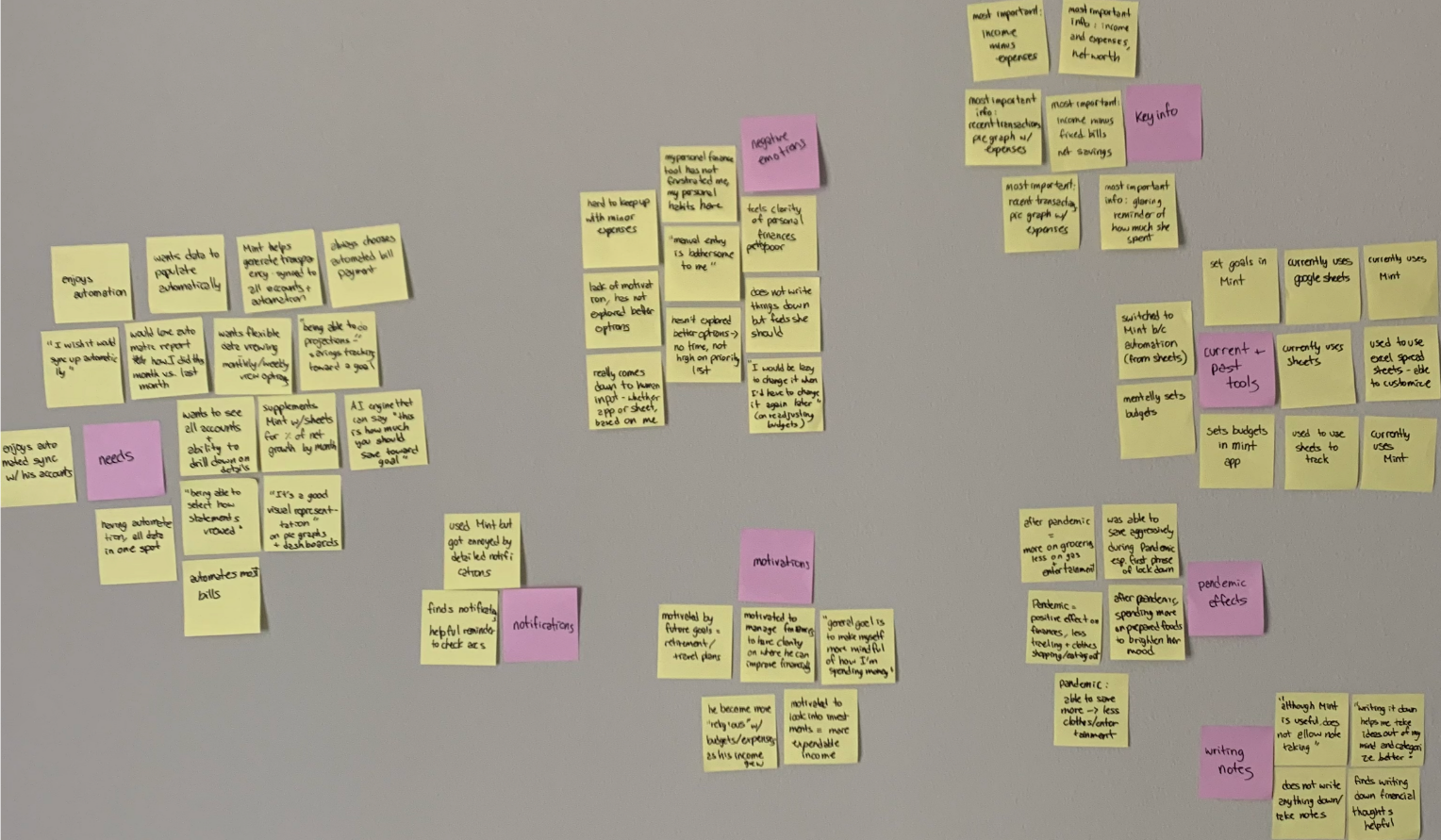
To synthesize the qualitative data gathered from user interview, I created an empathy map to identify patterns across users, uncover insights, and generate needs. See a larger version of empathy map here.

I wrote key quotes onto post-it notes and stuck them on a wall. I organized them into groups based on the themes they touched on.
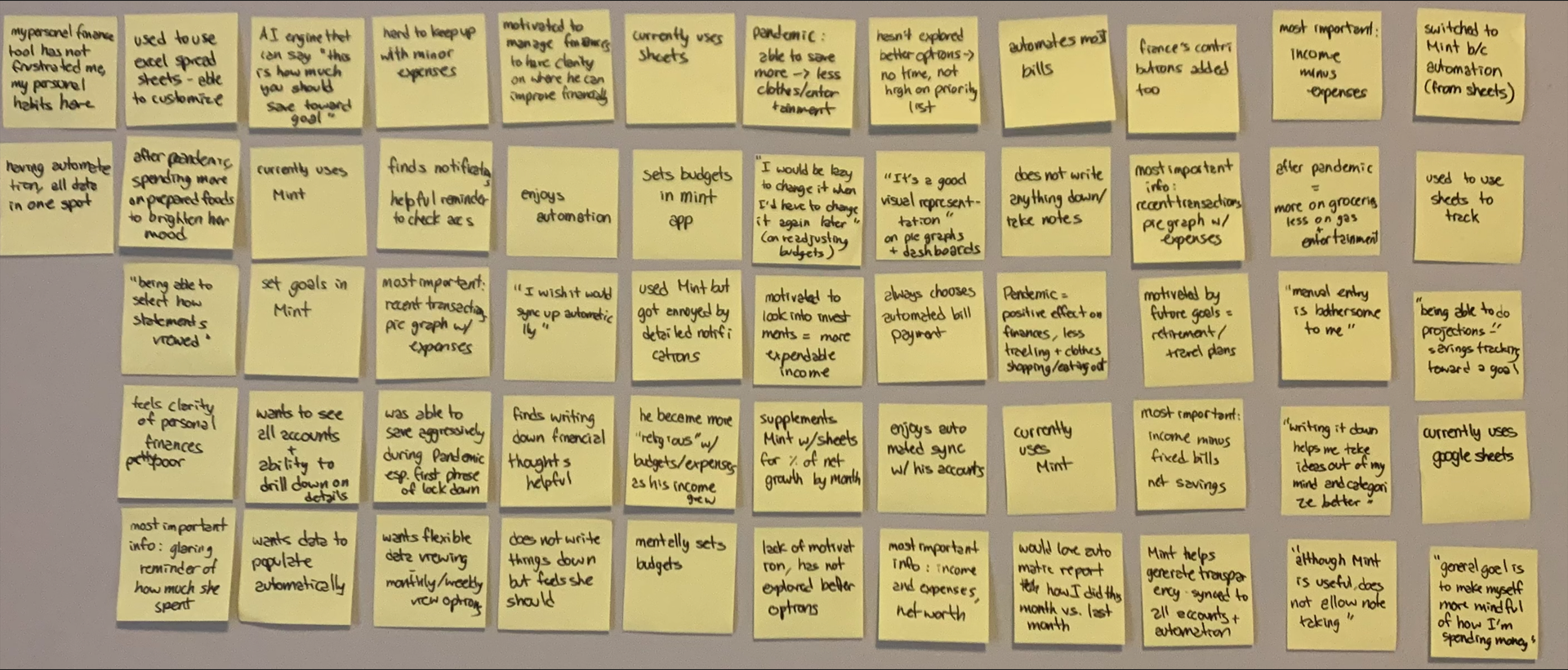
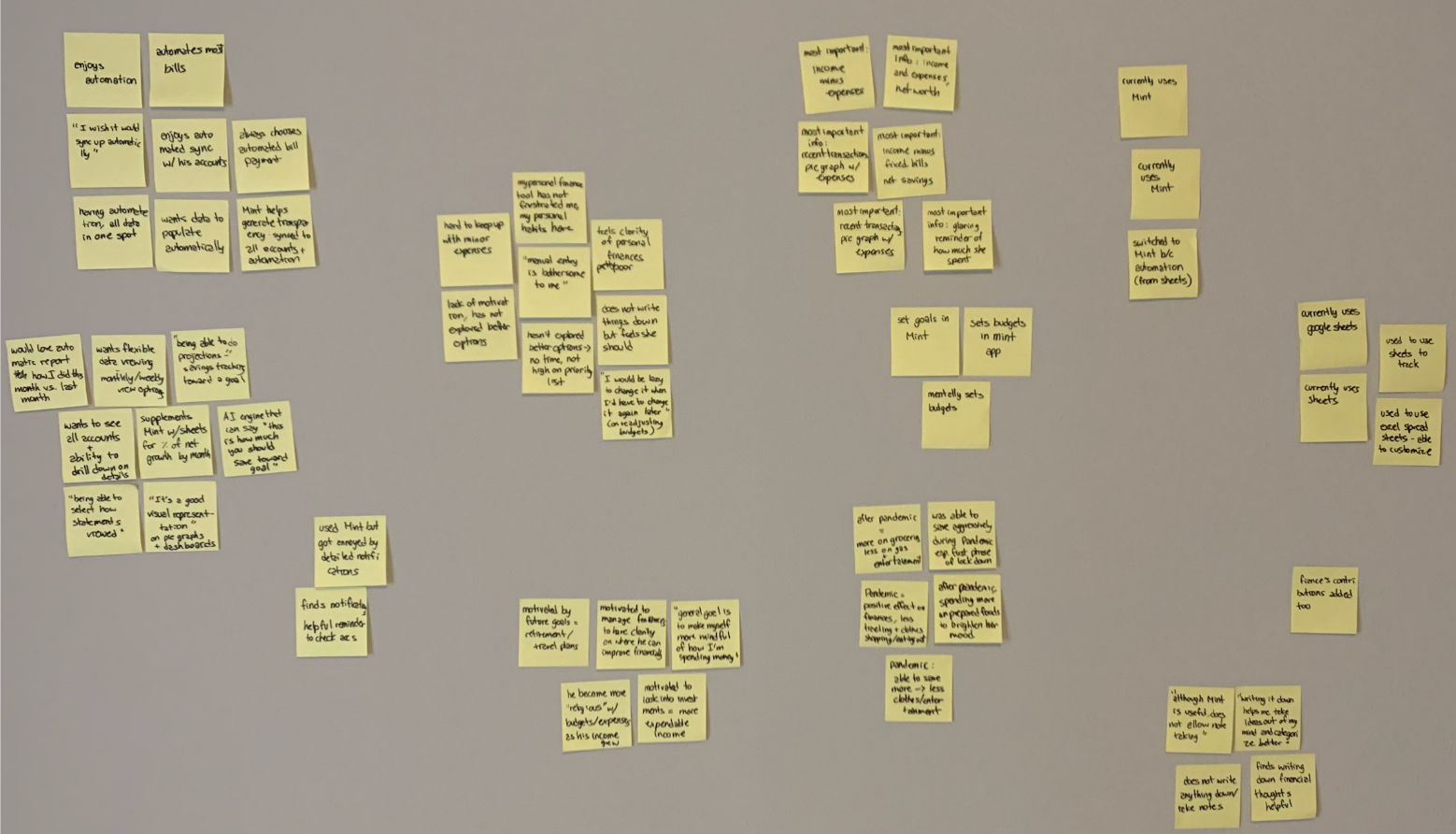
I labeled each group:

  • Needs
  • Notifications
  • Negative emotions
  • Key information
  • Current/past tools
  • Pandemic effects
  • Motivations
  • Writing notes

Key Insights

Based on the empathy maps and survey results related to personal finance management applications, some key insights & needs include:

Insights
  • Personal finance management is important across age groups: Users in their 20s, 30s, 40s, and 50s all have a desire to improve their financial management skills and make smart financial decisions.
  • Debt is a common pain point: Many users express concern about paying off debt and managing their finances within their means.
  • Users want to feel in control: A common theme across the empathy maps is a desire to feel in control of one's finances and make informed decisions.
  • Education and guidance are important: Users expressed interest in learning more about investing and financial planning and appreciated guidance from financial advisors or within the app.
  • Different users have different financial goals: Users have different financial goals depending on their life stage, including saving for retirement, supporting family members, or leaving a financial legacy.
  • The ability to track expenses and savings is key: Many users expressed the need for a tool that could help them track their expenses and savings goals to stay organized and on track.
Needs
  • Expense tracking: Users want an app that allows them to easily track and categorize their expenses to get a clear picture of their spending habits.
  • Goal setting: Users want to be able to set savings goals, pay off debt, and create a long-term financial plan.
  • Investment management: Many users are interested in investing to grow their wealth and would appreciate an app that offers investment guidance and management tools.
  • Financial education: Users want an app that provides financial education and advice on managing their finances, investing, and planning for the future.
  • Customization: Users have different financial goals and needs, and would appreciate an app that allows them to customize their experience and features based on their individual situation.
  • Security: Users want an app that is secure and protects their personal and financial information.
  • Integration with other financial accounts: Users want an app that can integrate with other financial accounts, such as bank accounts and investment accounts, to provide a complete picture of their financial situation.

User Persona

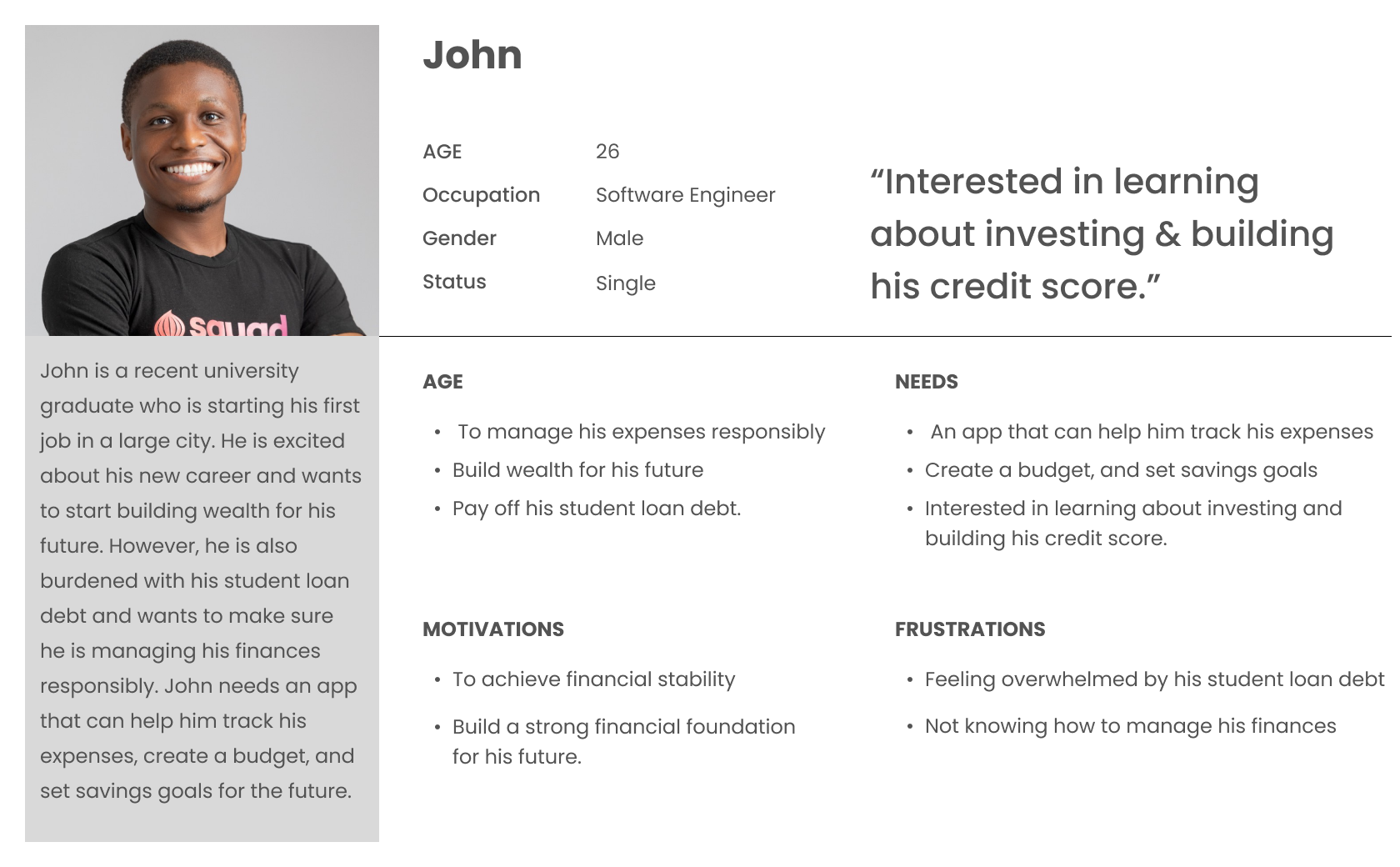
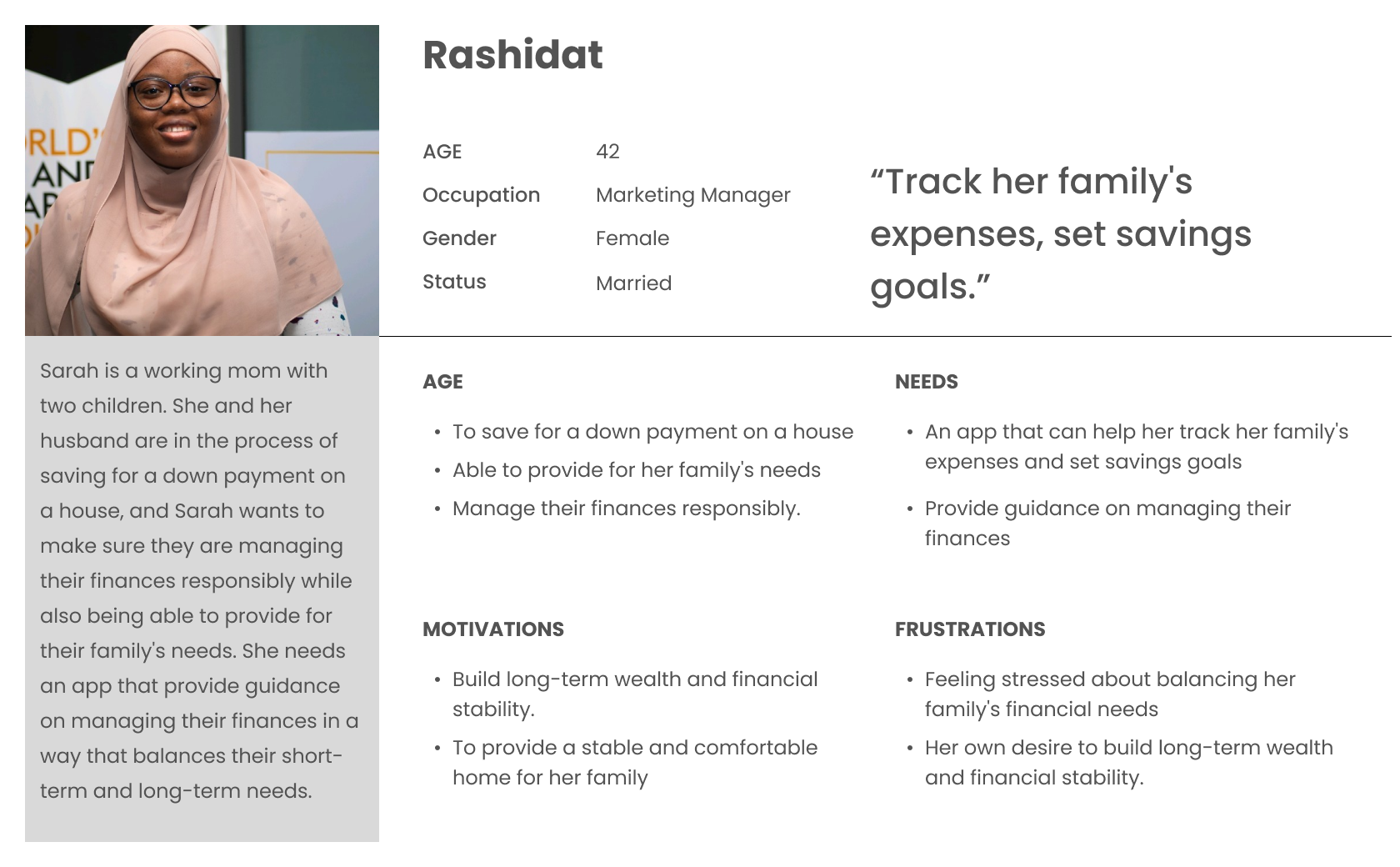
Since I have gathered a bunch of knowledge of the audience, as well as their goals and needs, I use the user persona to represent key audience segments. It helps me focus on tackling the most important problems – to address the major needs of the most important user groups. It is both fictional and realistic. Every time I made a design decision, I think about how would it satisfy the needs of the persona.

Let's meet Simon, a 27-year-old data analyst in Lagos. He has just started his career, and he wants to make sure he makes prudent decisions in terms of managing his personal finance.
Define

02

How Might We...

To define the problem I am going to solve, I create Point-of-View (POV) Statements that allow me to ideate in a goal-oriented manner, and How-Might-We (HMW) Questions to frame the ideation in the brainstorm session for solutions. The statements and questions are generated based on the insights and needs I gathered in my Empathy Map.
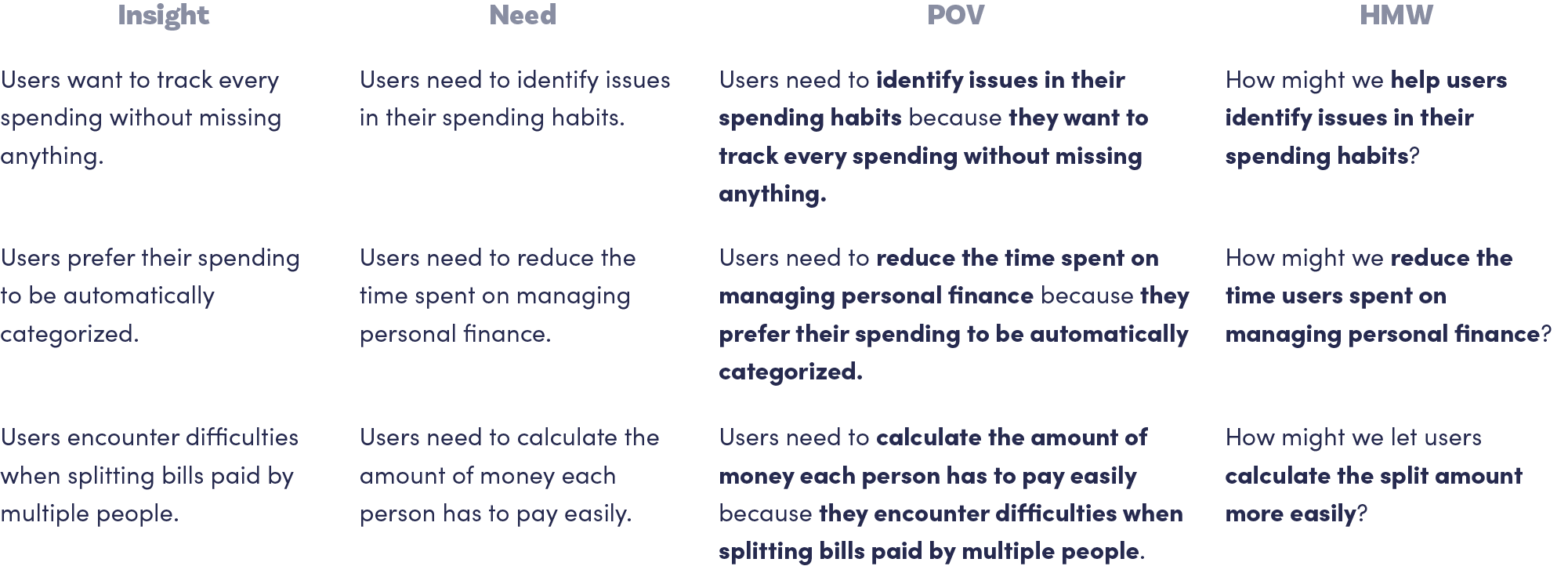
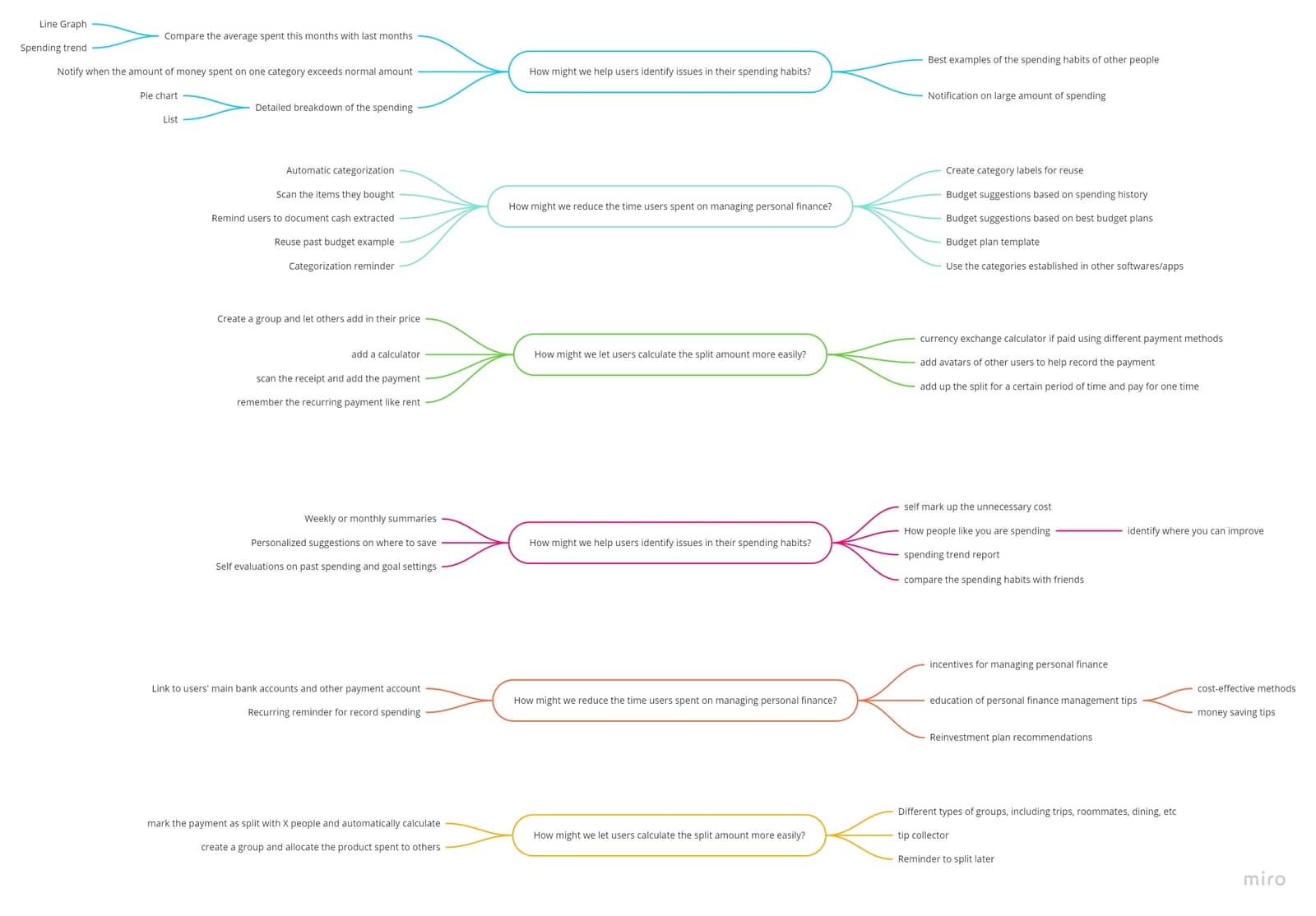
  • How might we help users identify issues in their spending habits?
  • How might we reduce the time users spent on managing personal finance?
  • How might we let users calculate the split amount more easily?

Brainstorm

Individual Brainstorm

Centering on these questions, I then brainstormed solutions. I spent 3 minutes on each HMW question, and moved on to the next HMW question when the time is up. I then did a second round for each question, and finally arrived at my brainstorm results.
Group Brainstorm

Apart from individual brainstorm, I facilitate a group brainstorm session with 3 participants. This activity helps me gather more solutions proposed from different minds of people. Before the group brainstorming, I sent out an agenda to each participant. For each question, the participants spent 3 minutes brainstorming and 2 minutes posting the sticky notes on Miro, an online collaborative tool. After two rounds of brainstorming, we spent 5 minutes discussing the brainstorming results.

Product Goals

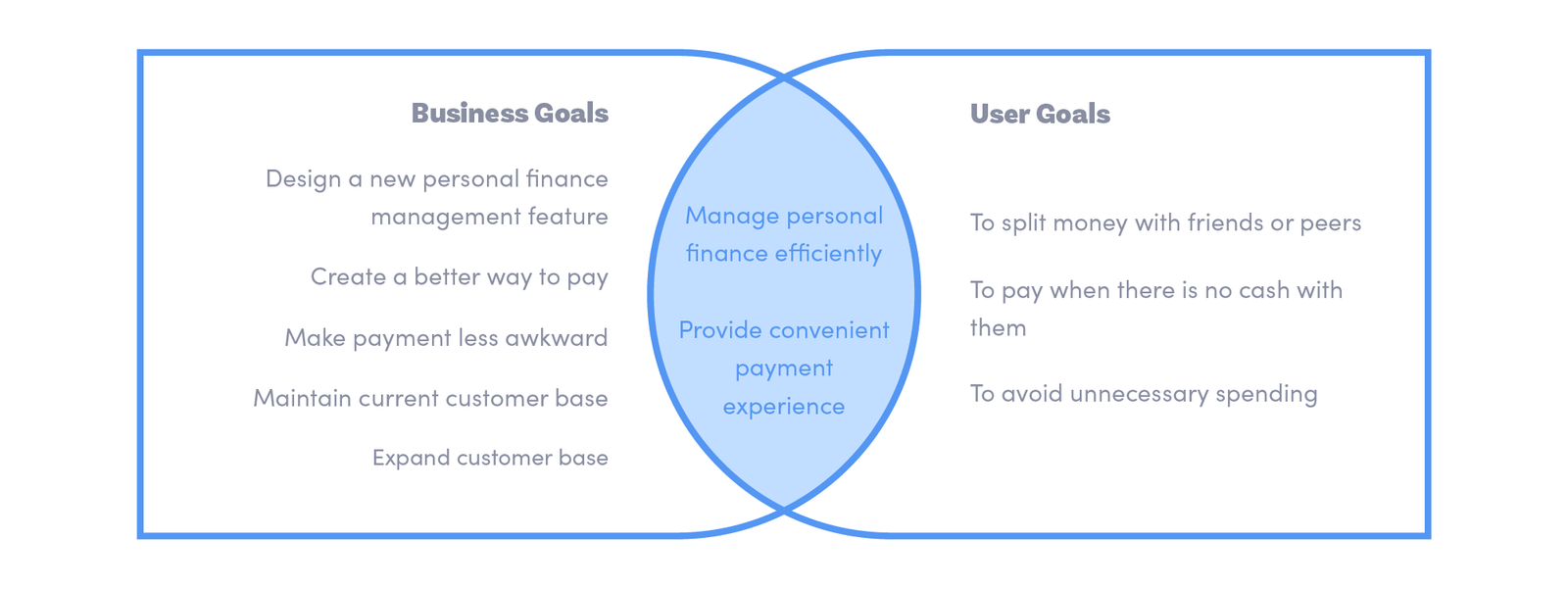
With HMW questions and brainstormed solutions, I decided to list project goals that will both serve as a guide for the future development of the product and a rubrics for determining what features to include in the website.

I established business goals by referring to published coverages of Budget Bounce business, and summarized user goals from my user persona and empathy map. To make sure the product we are developing is both usable and sustainable, I identified mutual goals by aligning specific business goals and user goals.
Ideate

03

Product Roadmap

I then started to put the solutions I brainstormed into a list of product features to create a comprehensive product roadmap. These features were sorted into four categories, including Must-have (P1), Nice-to-Have (P2), Surprising and Delightful (P3), and Can-come-later (P4) features. They were sorted based on how well they can help achieve business goals and user goals.

Product Roadmap not only infuses the project goals into our product, but also ensures we prioritize the most important features in the development cycle.

Application Map

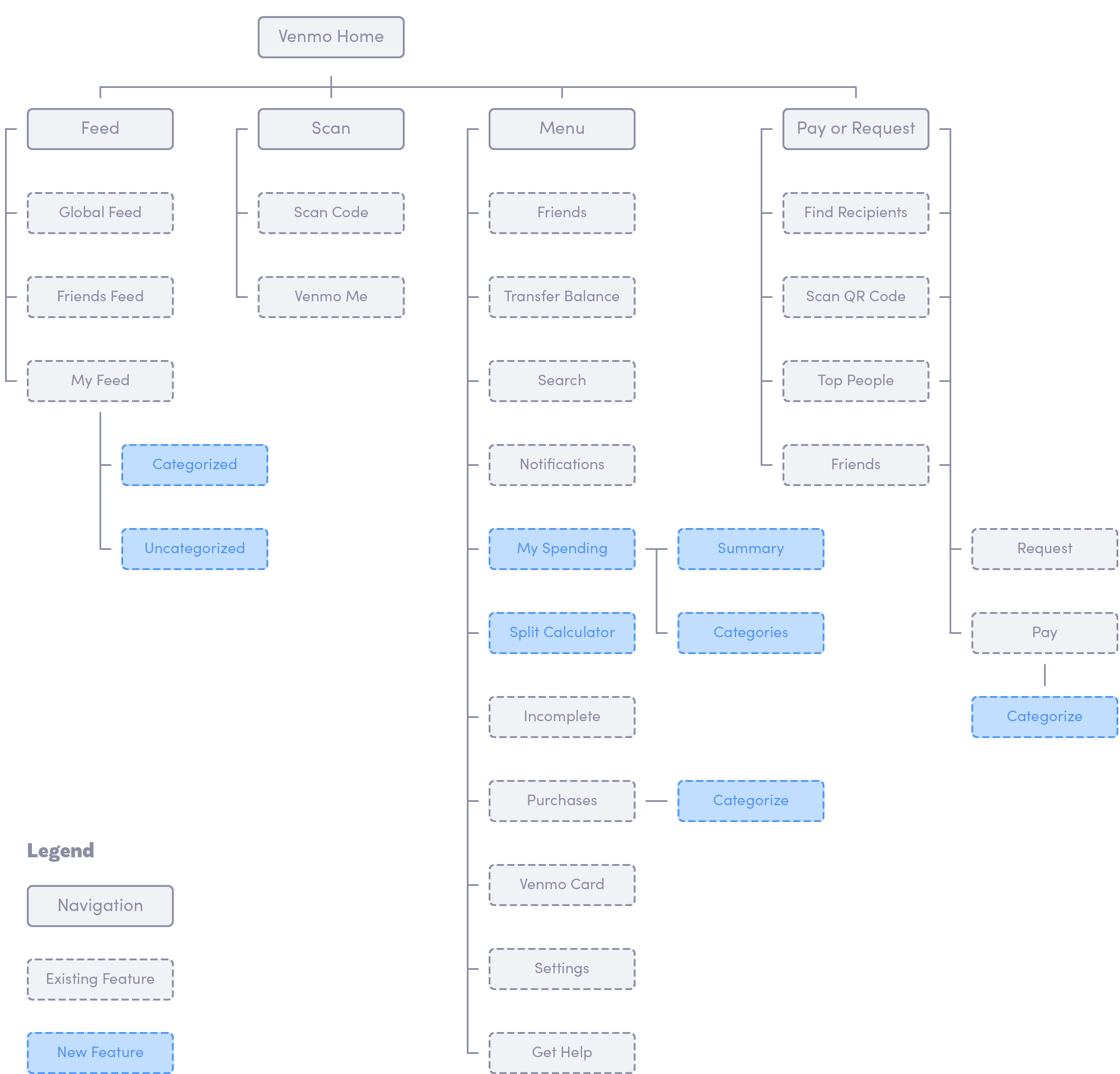
After setting up the product goals and deciding what features to include, I want to continue building up the structure of the app using the application map. An Application map helps me to visualize the relationship between the content and examine the hierarchy.

I first mapped the existing application map of Budget Bounce, and identified sections where I can add the new features.
Task Flow

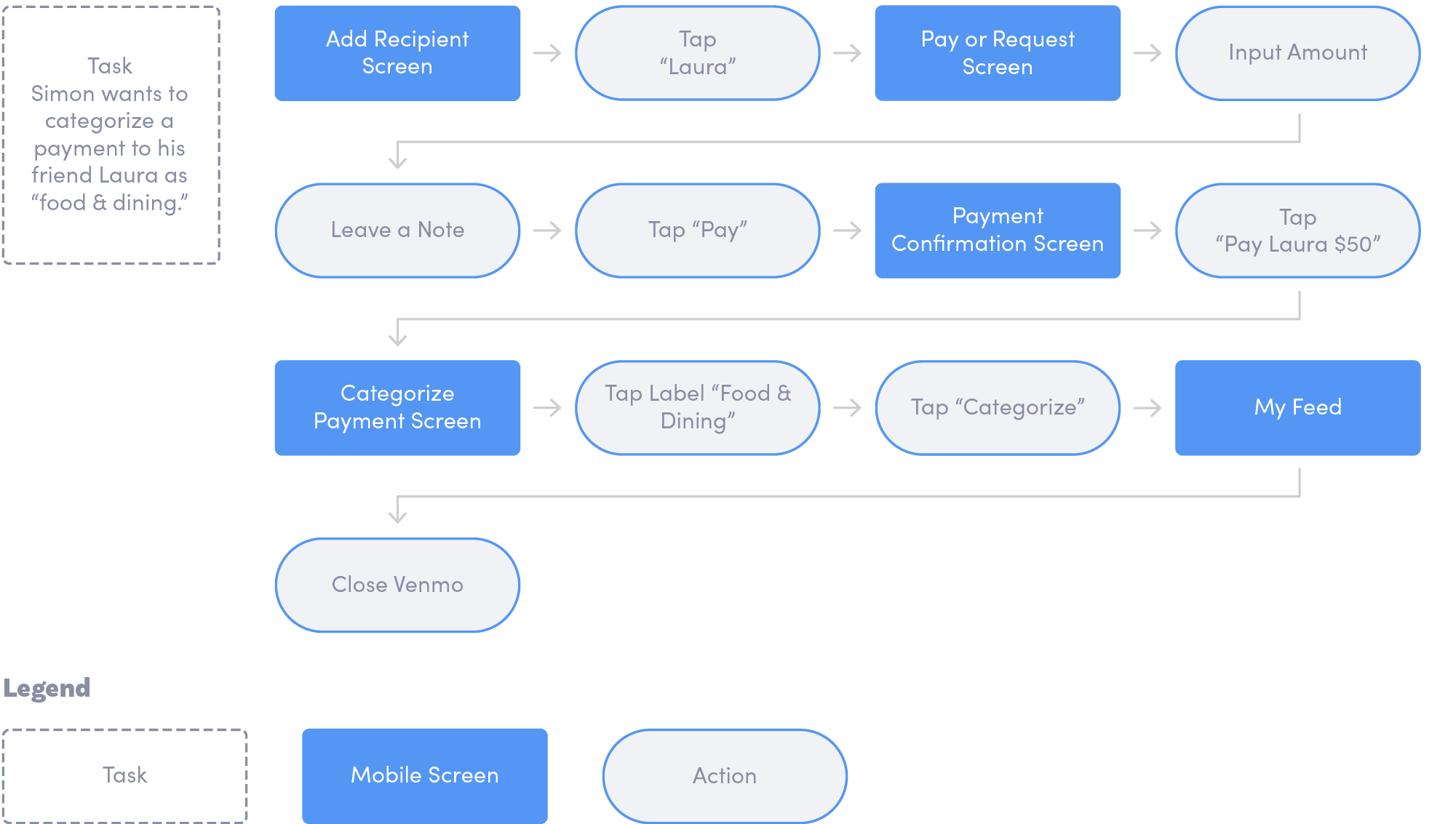
To decide what I am designing, identifying the main flow of users when completing a task helps me to direct my focus on designing specific pages. By creating task flows that center on the new features I am adding for Budget Bounce, I was able to think through the necessary steps and examine the user experience in details. Below is the flow for 1 task, and a complete diagram of task flow can be viewed here.
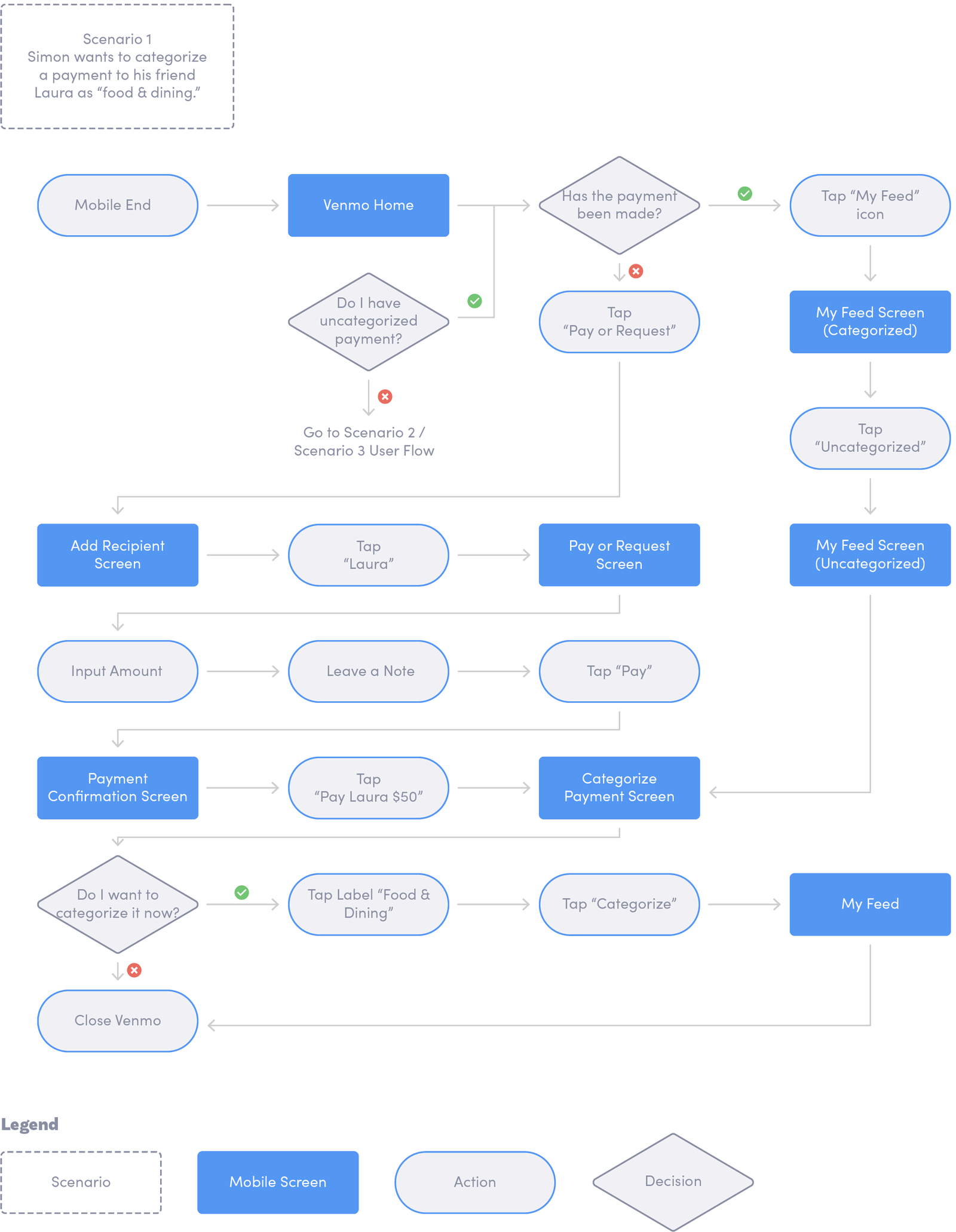
User Flow

Building on the task flow, I mapped user flows whose scenarios correspond to the established tasks. The decision trees were added for me to think through what actions users would take based on their feelings with the website. Below is one example user flow, and a complete user flow could be viewed here.
Prototype

04

Wireframe

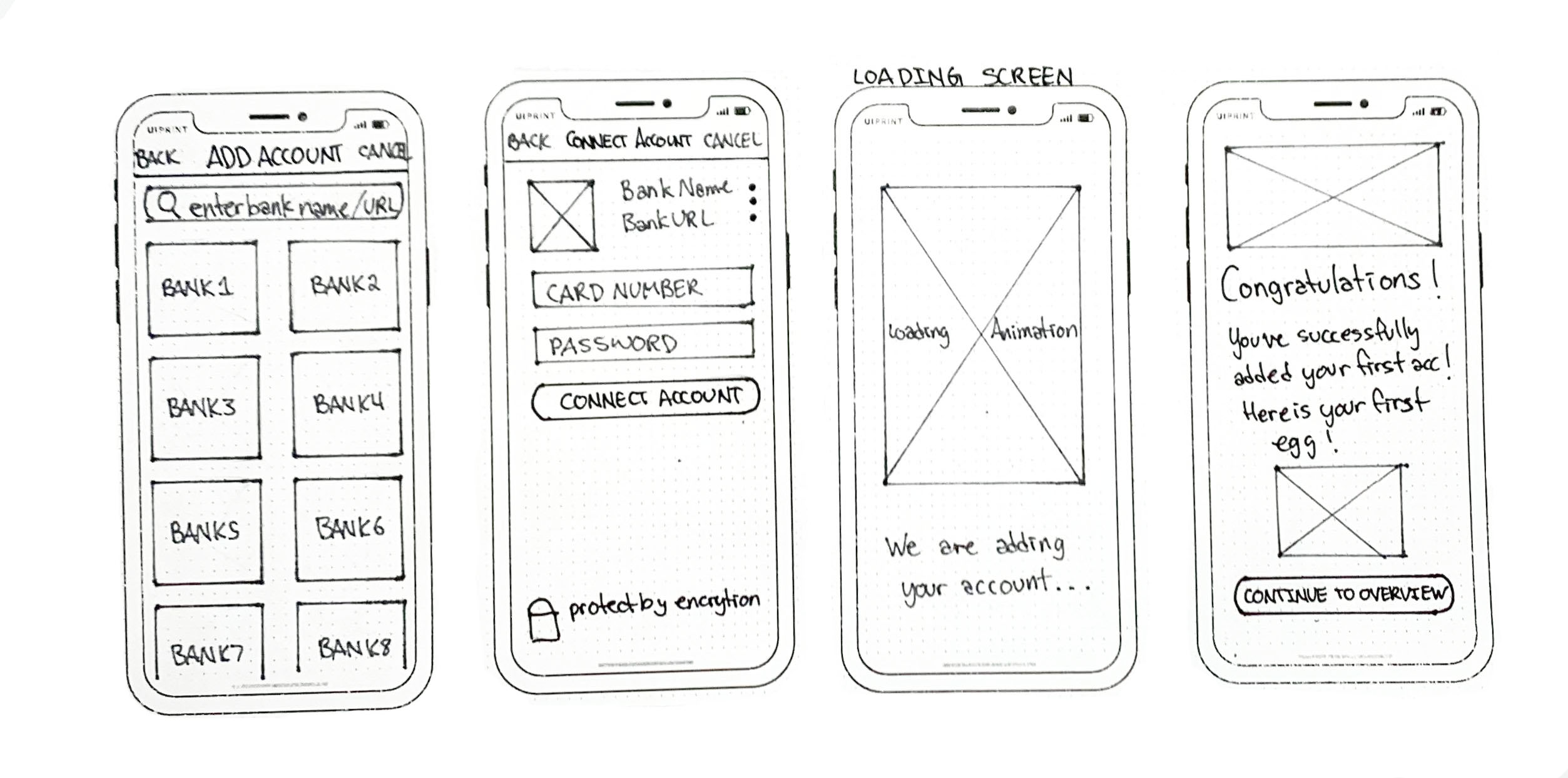
Sketches

After creating an UI Requirement Document with a to-do list for designing the key screens identified in the task flow and user flow, I started sketching low-fidelity screens. I can capture my ideas by pen and paper quickly by sketching. It also enables me to examine my ideas before putting everything in the daunting process of digitizing.

Low-Fidelity Wireframes

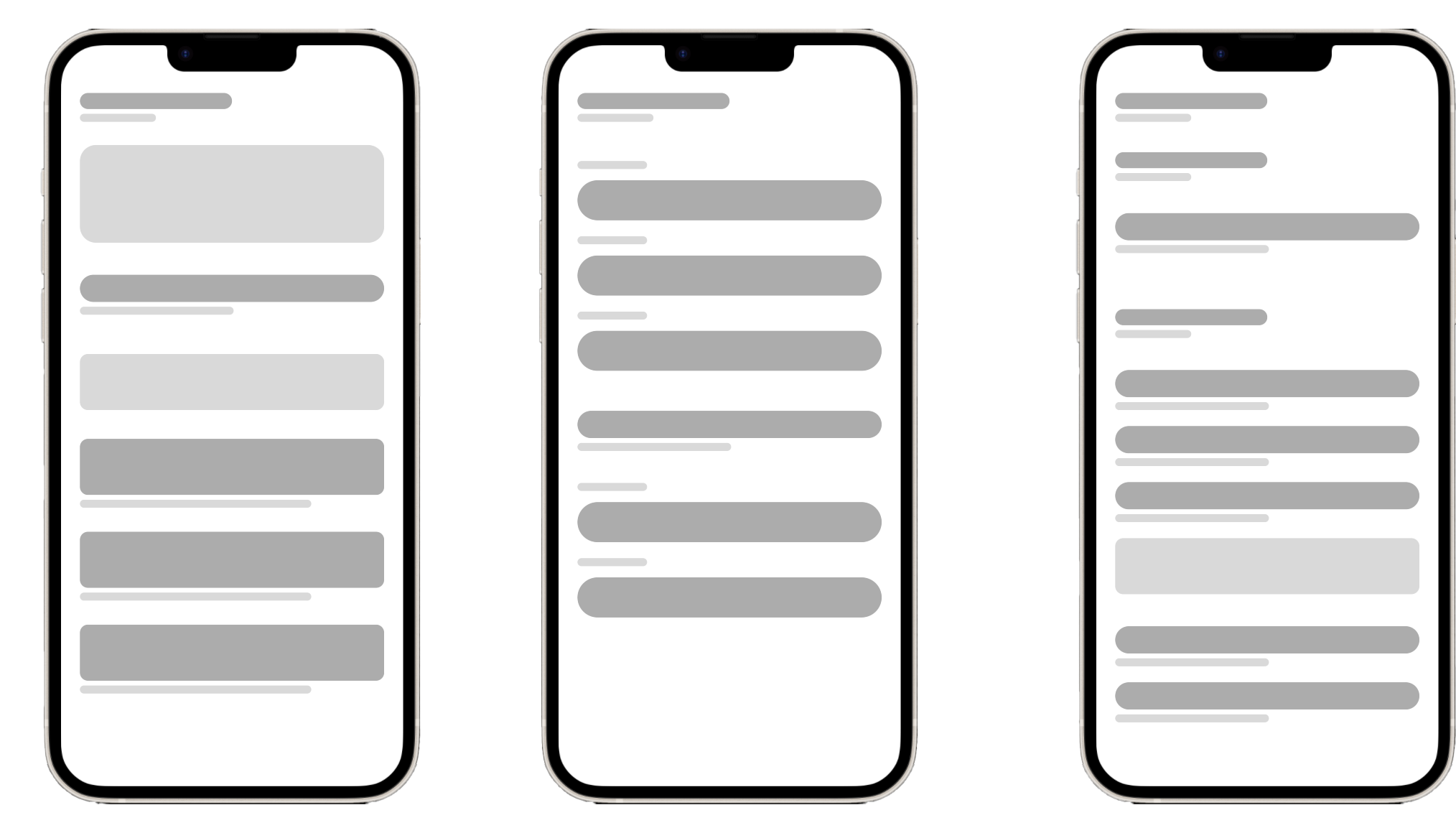
Once I decided the visual direction of the layout I want to go for, I started to produce a digitized, low-fi version of wireframes based on sketches. It allows me to apply product UI requirements, ensure elements are placed with the guidance of correct hierarchy, and avoid spending too much time on designing details.

Furthermore, to ensure users have a consistent experience across different devices, responsive wireframes are created for desktop, tablet, and mobile ends.
UI Design

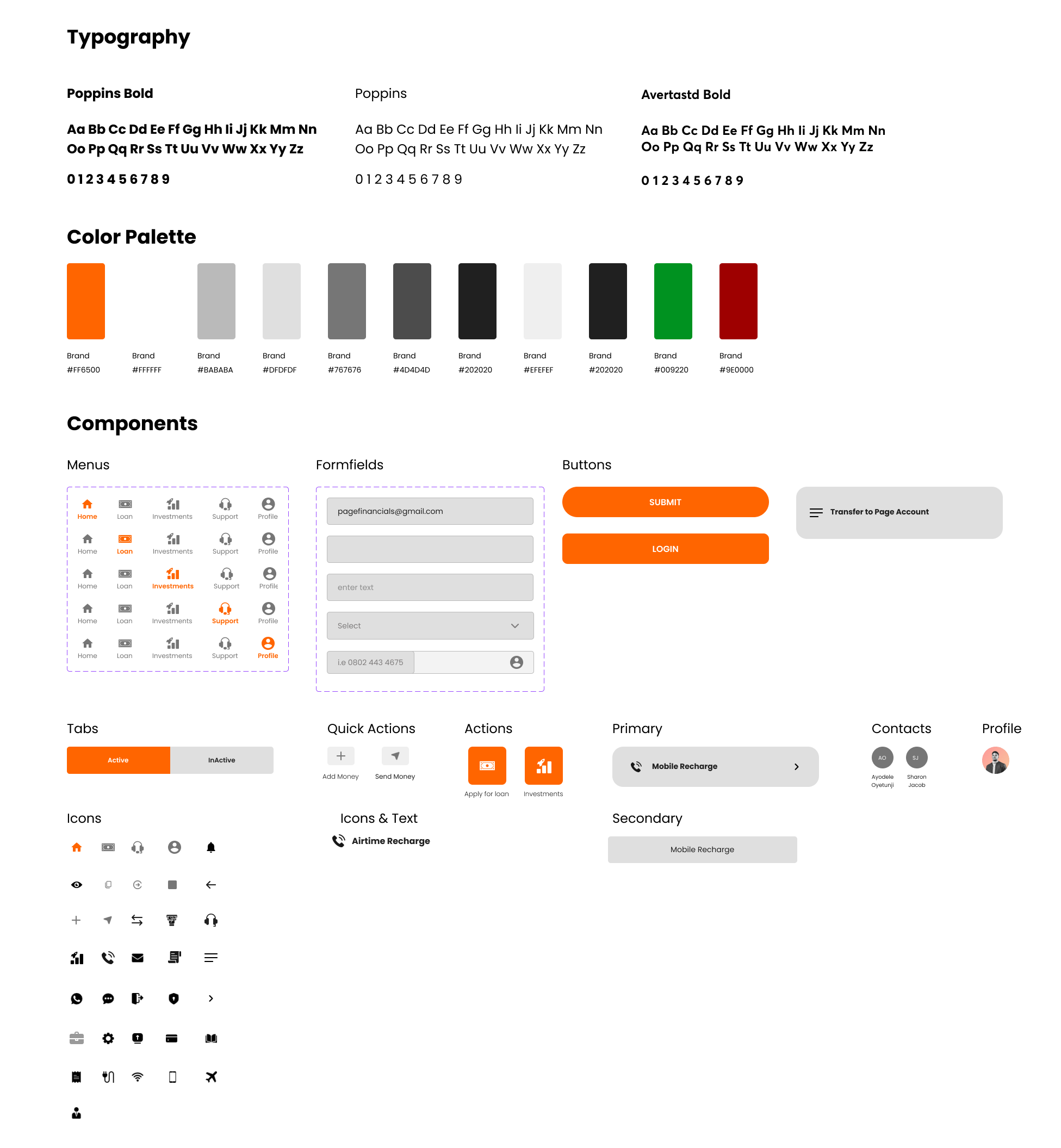
UI Kit

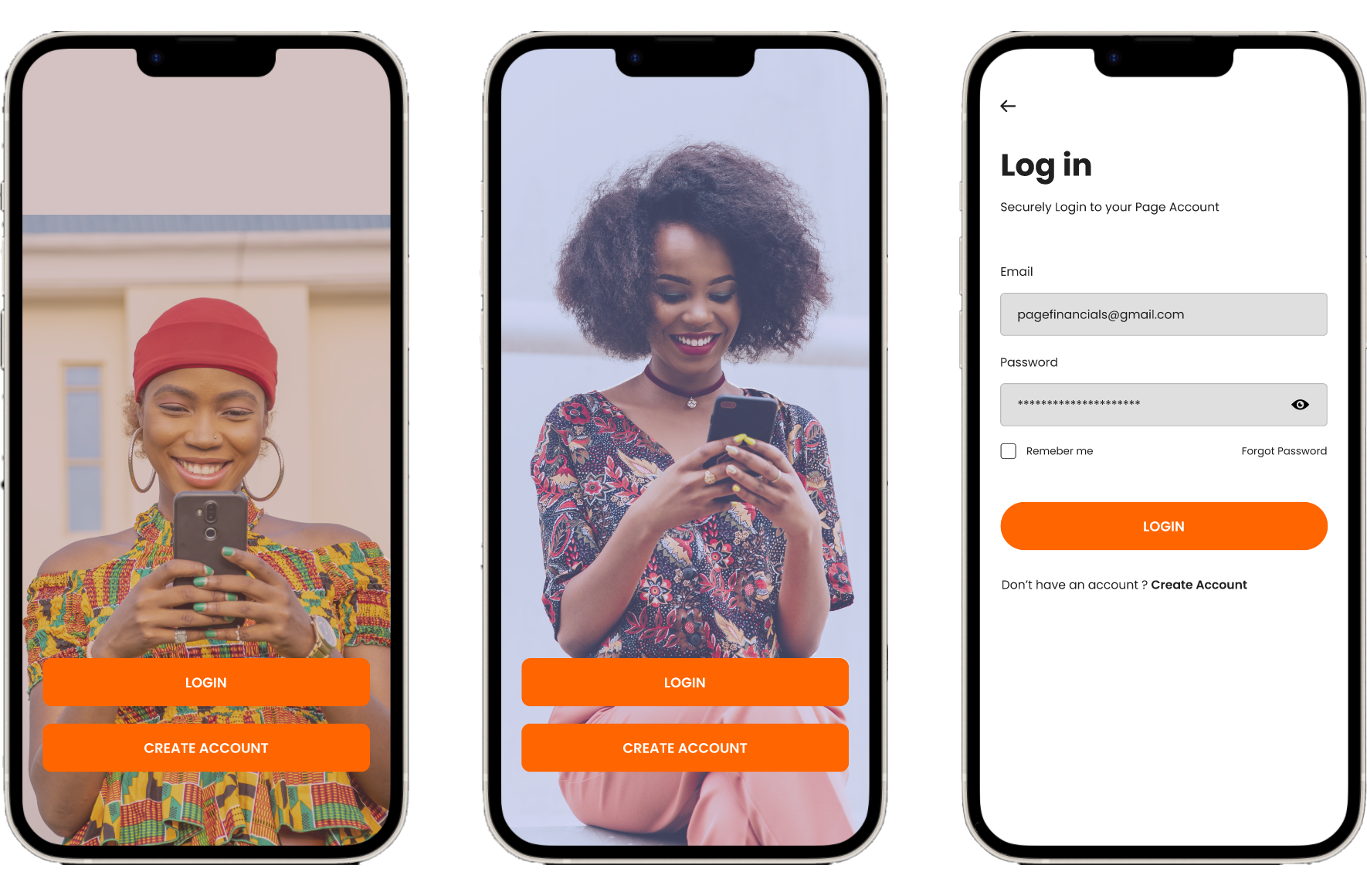
UI Kit is a compilation of existing UI elements on the website that provides references for future design and collaboration for the design team. It is also a living document and will be updated whenever there is an iteration of the design.
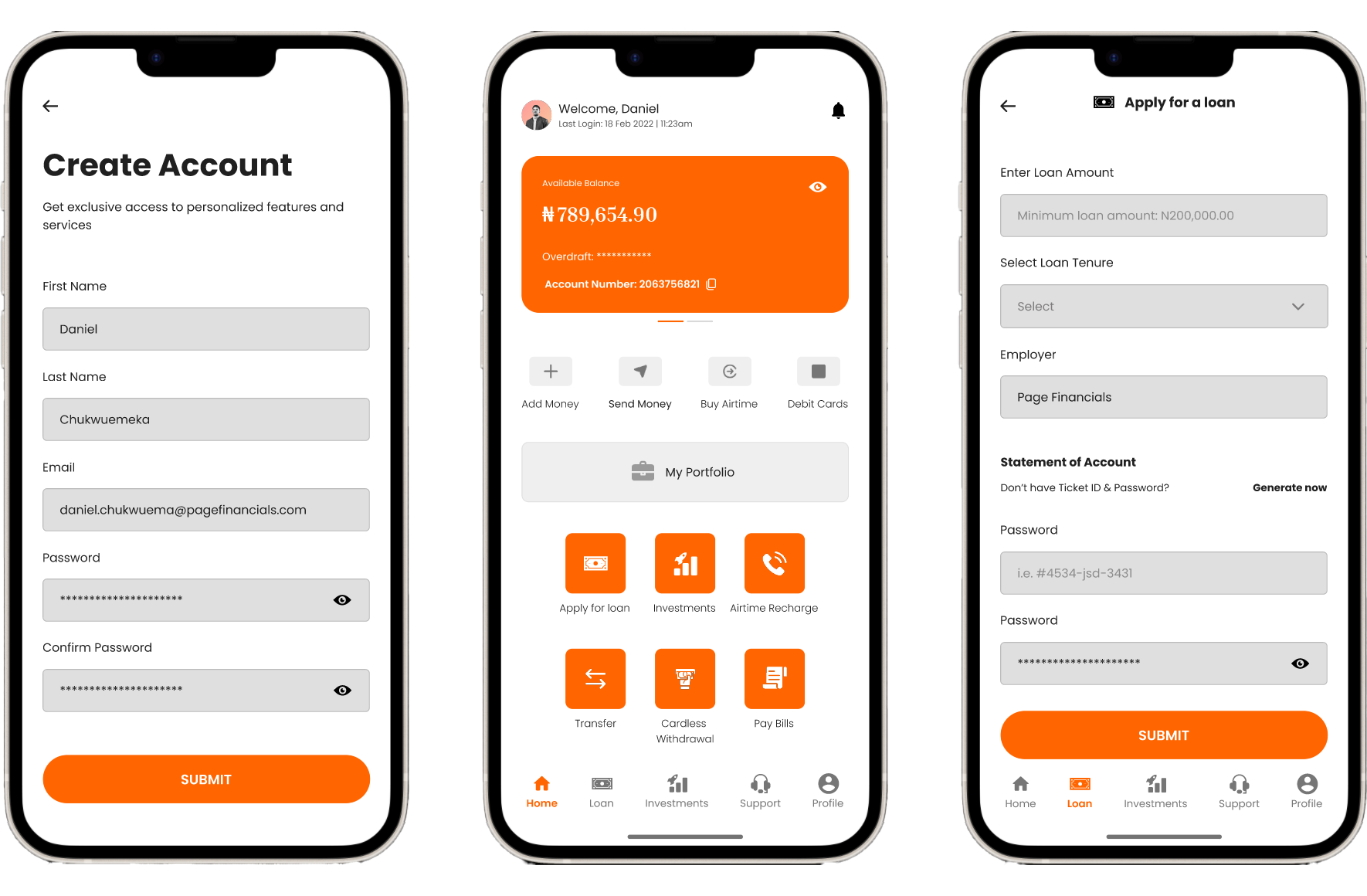
High Fidelity Prototype

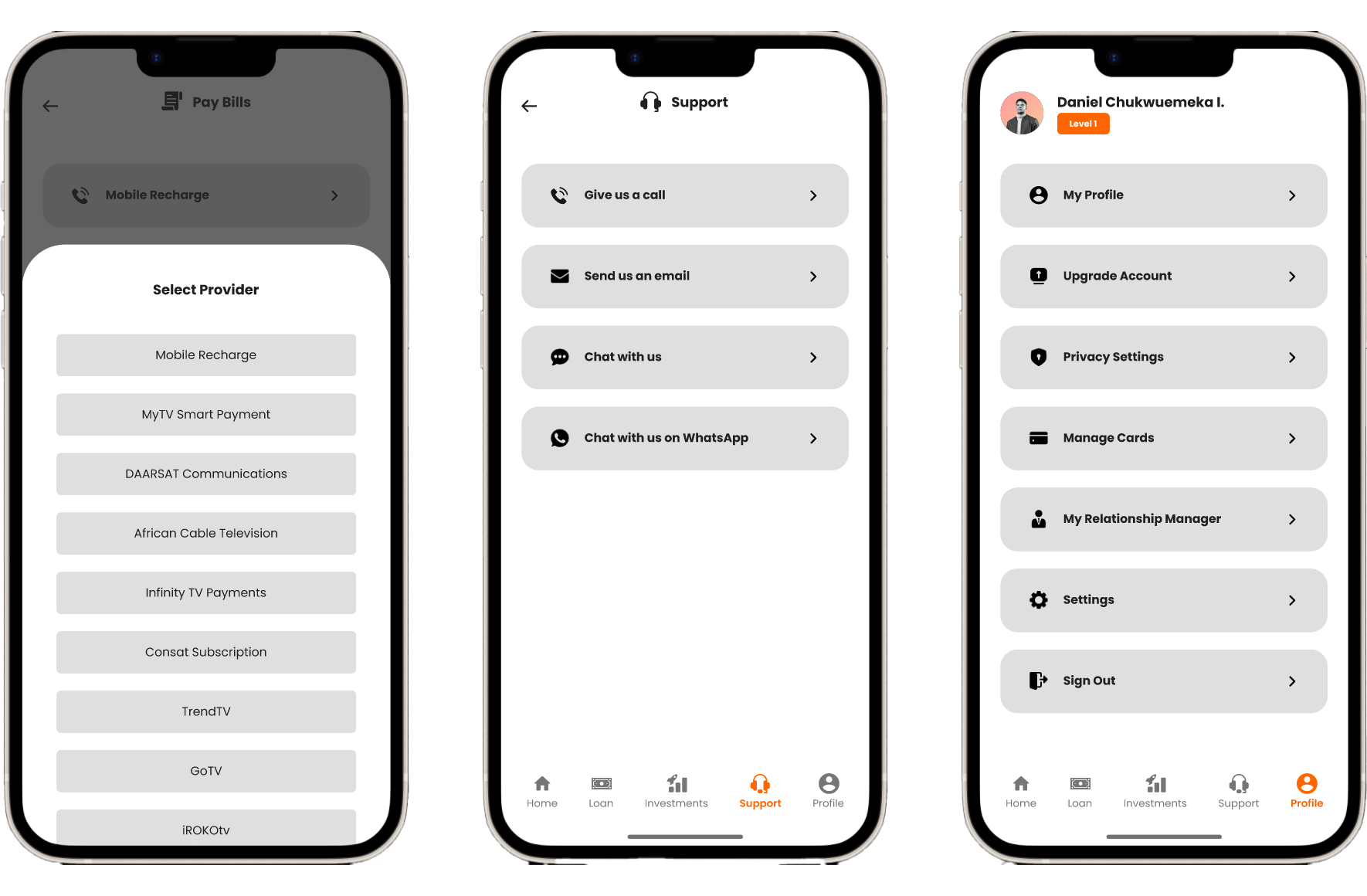
In the Prototype phase, I build scaled-down versions of the product for testing. It helps me uncover false assumptions, identify UX frictions, eliminate errors before investing too much in developing the product.
Test

05

Prepare for the Usability Testing

Before usability testing, it is important to set up test objectives, subject, methodology, tasks, and rubrics for measuring the result of the testing before conducting a test. Therefore, I wrote a usability testing plan to define what and why I want to test and get prepared for the test.

I expect a 100% completion rate since all tasks are normal steps for managing finance and were designed using existing patterns of Venmo. I also expect a 90% error-free rate because the prototype is not fully functioning, and users might take alternatives that have not been built up for completing the tasks.

Conduct Usability Testing

I then conducted both in-person and remote usability testing with 5 participants, and created transcripts for each participant based on my observation of their interaction with the prototype. I jot down their mistakes, slips, and confusions they expressed in the process. This transcript is a perfect raw material for summarizing the patterns of user’s interaction with the prototype.

Affinity Map

The results from the usability testing could be summarized by creating an affinity map. Like the empathy map, it is effective in helping us find patterns and frustrations when users are interacting with the prototype, and identify areas of improvements based on priority levels.

I represent each participant using a unique color, and categorize the observation by success, patterns, and frustrations. I only listed patterns that are shared by a majority of participants. For each pattern from frustrations, I uncovered one insight, and generate one recommendation. I then ranked the recommendation based on the priority level, where I will fix problems that affect key functions for our website and customers’ quick recognition of the brand.

Patterns
  • 4/5 Users thought the 7-day spending trend diagram didn’t make sense.
  • 4/5 Users thought it confusing to add more payers in the split calculator.
  • 4/5 Users thought tapping the back arrow was not convenient when selecting time period.

Insights
  • 7-day spending was not enough for user to understand their spending trend.
  • The interface was not performing well in terms of learnability.
  • Users expect an automatic redirection to the screen after applying a filter.

Recommendations
  • Change the bar chart to trend line of the spending during the selected time period. (High)
  • Add a step-by-step note to guide the user to access the calculator.(Moderate)
  • Edit the flow to remove the step of tapping the back arrow to view spending summary. (Low)